September rebuilt two of the screens operators live in — price lists and inventory — and tightened the path from a storefront cart to a completed, billed order. Buyers can finish checkout when stock is short, staff can see what a price will actually charge, and payments, credits, and the daily overview are easier to work from.
Price lists
A price list you can read
The price list is now a table instead of a form. Each variant is one row, even when it has several quantity tiers, with the rule, a preview of the buyer's price, average cost, and a single status: live, scheduled, expired, inactive, or market price. Open a row to edit the rule type, the tier ladder, the date window, and whether the price is hidden. Filters, selection, dates, and the mobile layout all follow that same row.
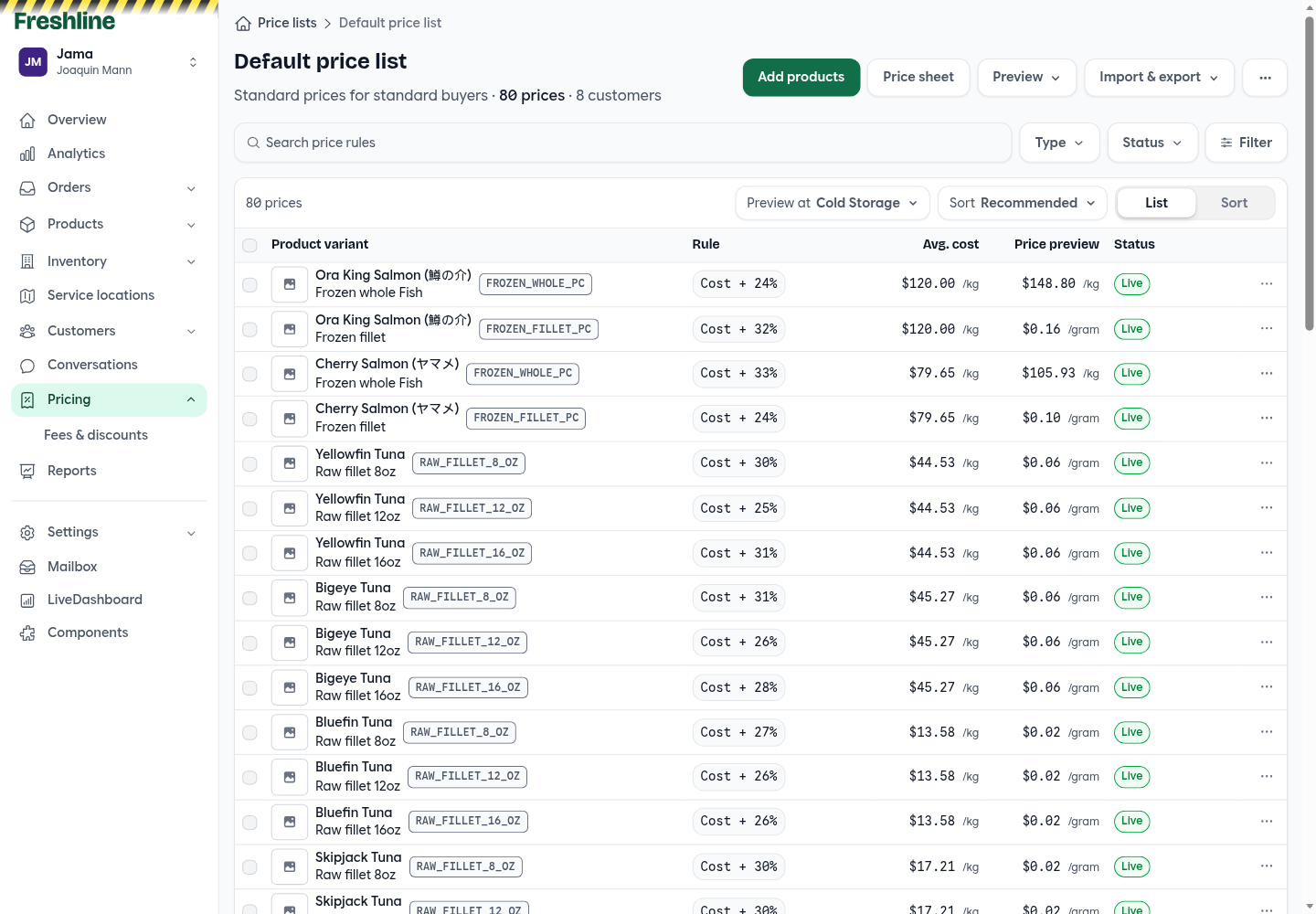
Each variant is one row, with the rule, average cost, the price a buyer would pay, and a single status.
Date windows and quantity tiers work together, so a price can start on a date and change at each quantity tier. The sheet loads every rule, and buyer-price previews resolve in chunks, so a large list stays usable. Duplicating a price list inserts those rules in batches.
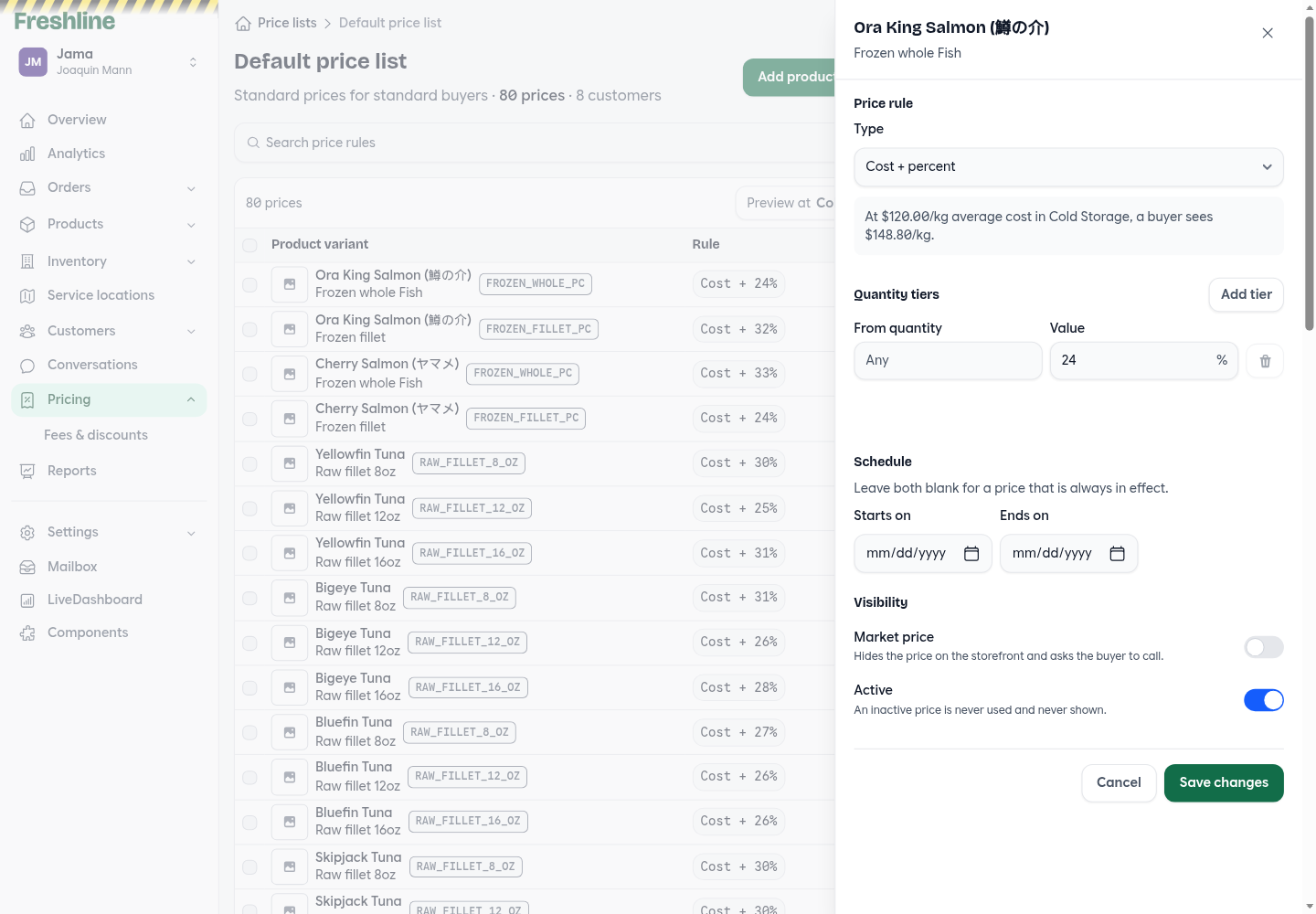
Open a variant to set the rule, quantity tiers, the dates it runs, and whether buyers see the price.
Preview the price a buyer will pay
The list shows the price a buyer would pay, and a product drawer shows recent variant pricing without leaving the product. The variant picker's category filter applies to those buyer prices. Customer-facing price sheet PDFs open in a drawer, and import and export now use one format for a single price list.
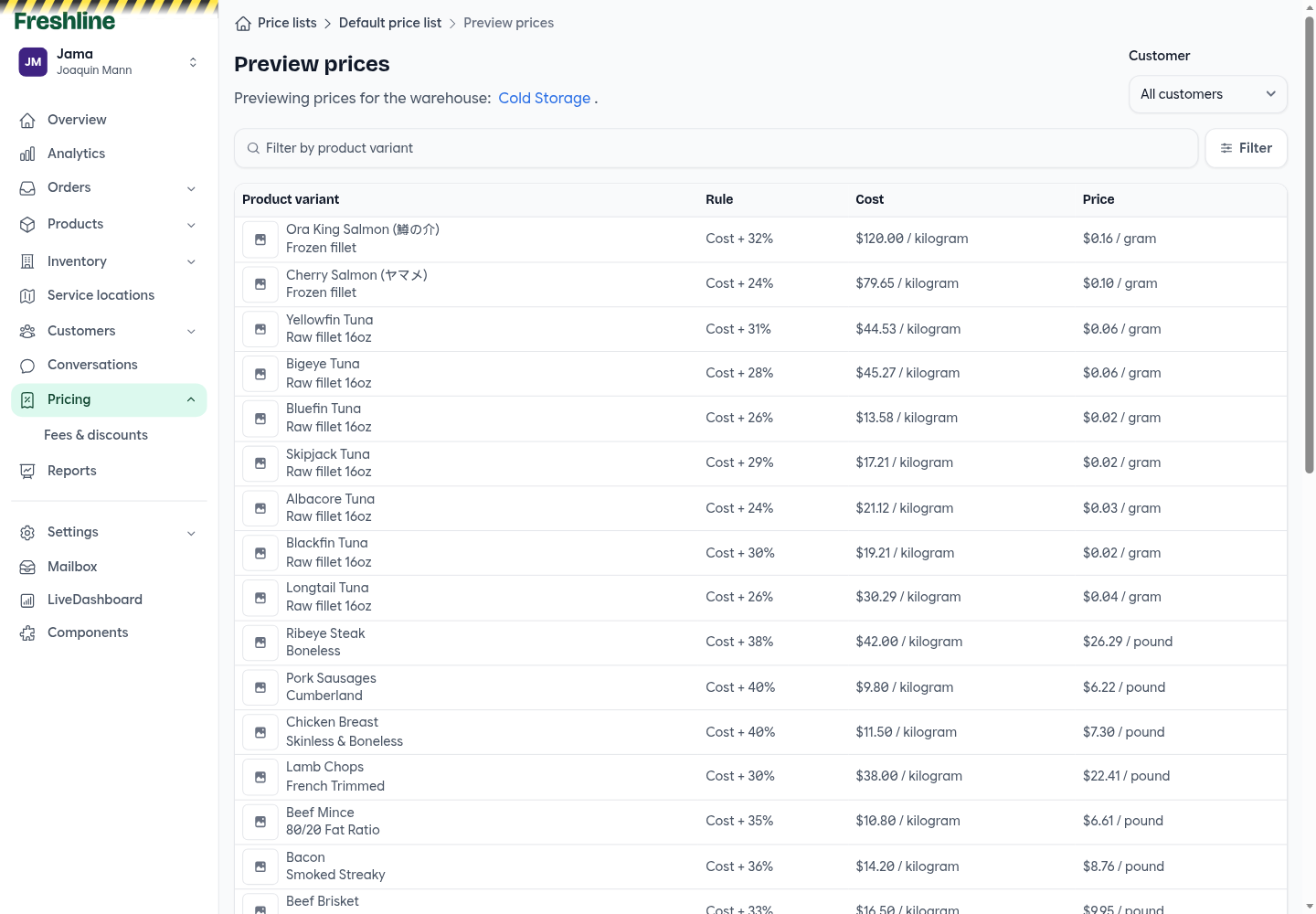
Preview the price a buyer would pay at a warehouse before you publish the list.
Storefront
Close the store
Store settings can close the storefront. Customers see a closed notice, and browsing, sign-in, and checkout stay unavailable until you open it again. Admin keeps working the whole time.
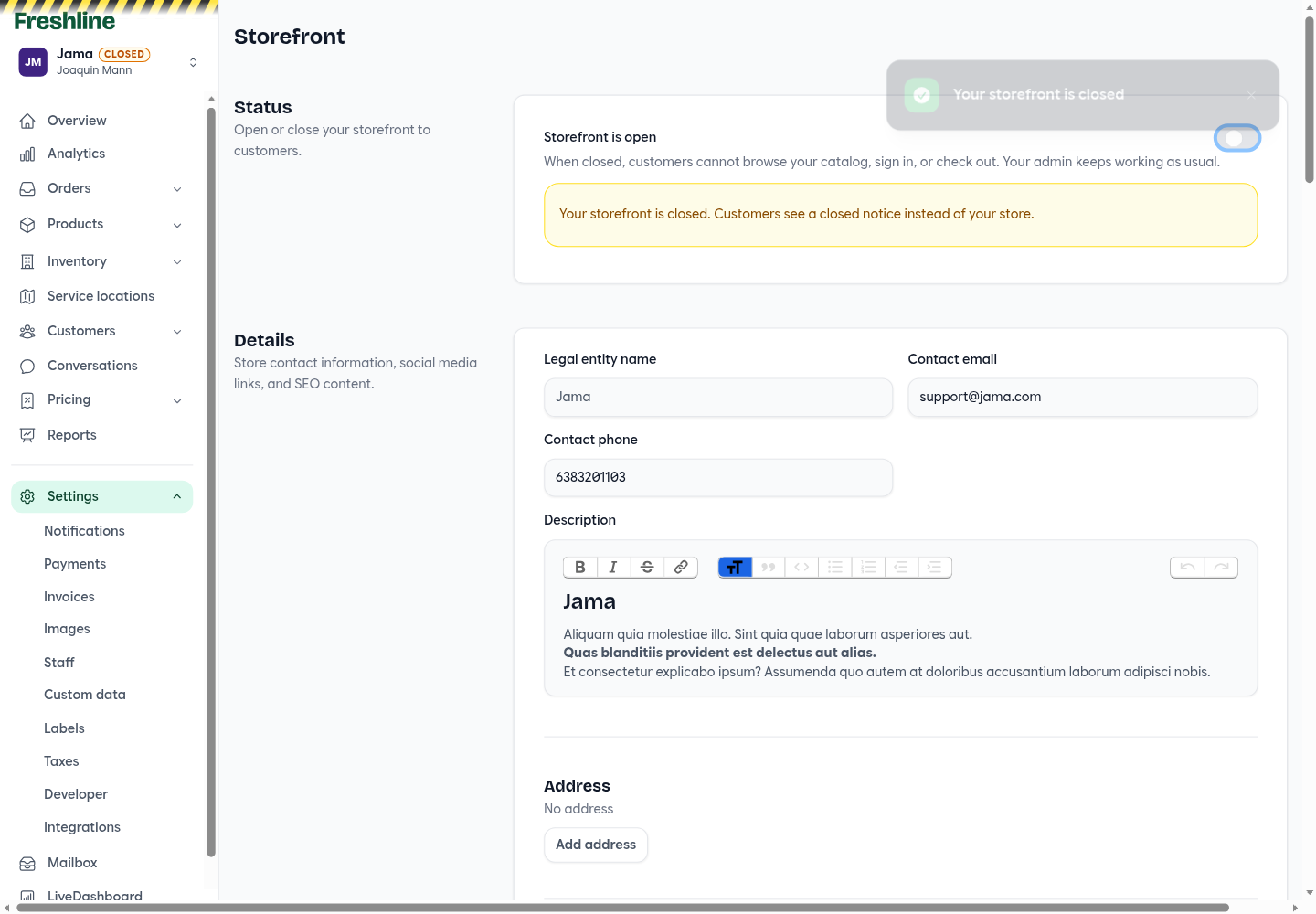
Close the storefront from settings. Customers see a closed notice, and admin keeps working.
Sell the last partial case
A product sold by the case can now sell the remainder when less than a full case is left. The cart explains that quantity in base units, the buyer can reduce the line to it, and the order records why fewer than a full case shipped. Checkout can also clear every stock issue in one click: lines with stock left are reduced to what is available, and sold-out lines are removed. If that empties the cart, the buyer returns to the cart with a notice.
A cart that already has unavailable lines can still be edited. Out-of-stock market-price items are no longer treated as orderable, and categories a price list leaves empty are hidden. When out-of-stock products are hidden, the catalog count includes only products that are actually listed. An expired session can be recovered, and add to cart submits once. Large catalogs also do less work on each request.
Orders and payments in the header
Standing orders and order history sit in an Orders menu in the storefront header, and Payments is its own tab. The Fresh theme's fruit tile is now a brand gradient.
Orders
Confirm before you complete
Completing an order asks first, and the dialog lists what will happen: the invoice is finalized and opened, reserved inventory is deducted, any preauthorized card payment is captured, the customer and warehouse are notified, and connected integrations update. Completing an order cannot be undone.
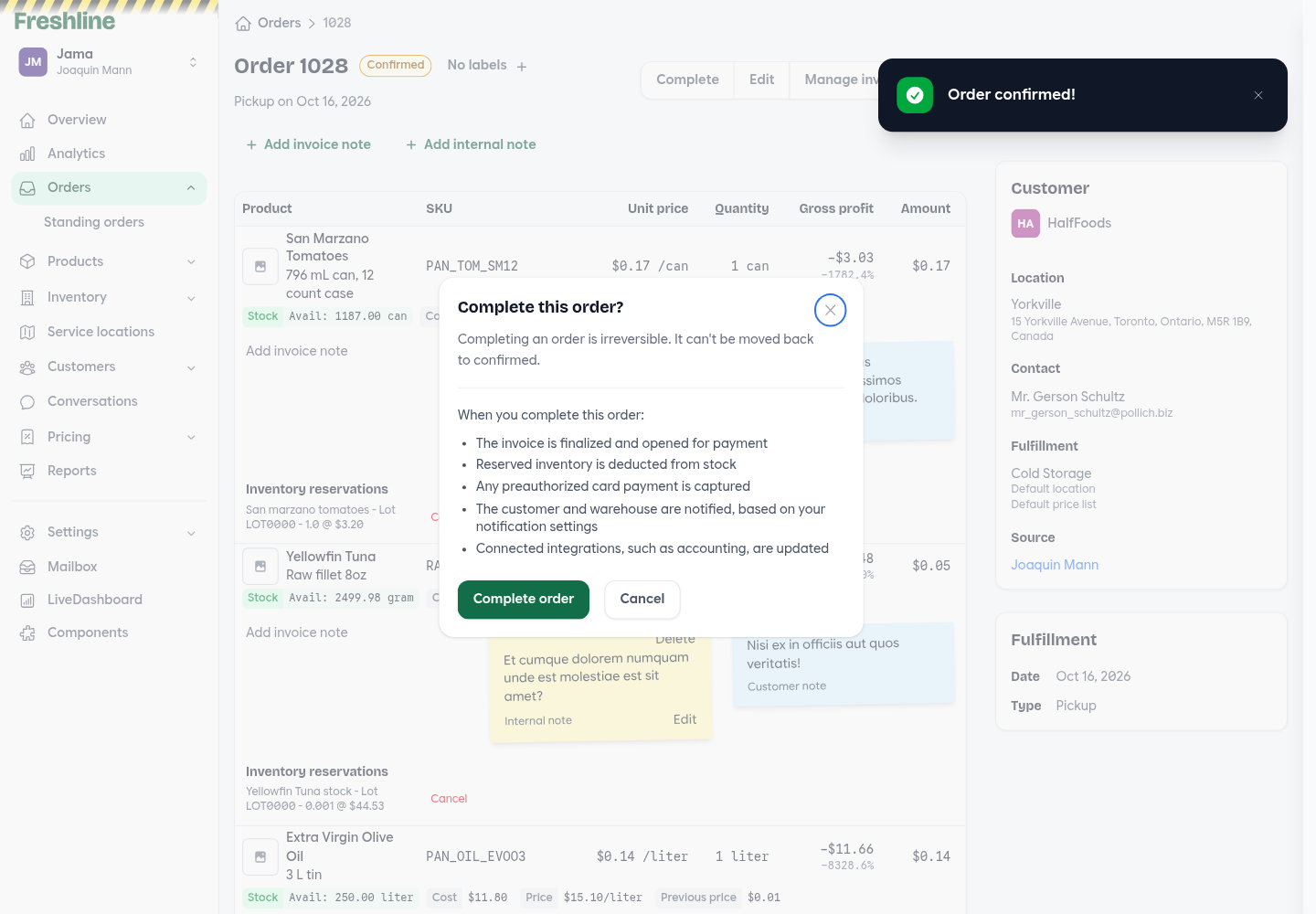
Completing an order asks first, and lists what will happen before you confirm.
Notes that follow the customer and the product
A note on a cart line is saved for that customer and variant. The next cart or order for that item starts with the note, whichever way the order is placed. Staff manage the notes on a Line item notes tab on the customer, and the order form shows the saved note on the line.
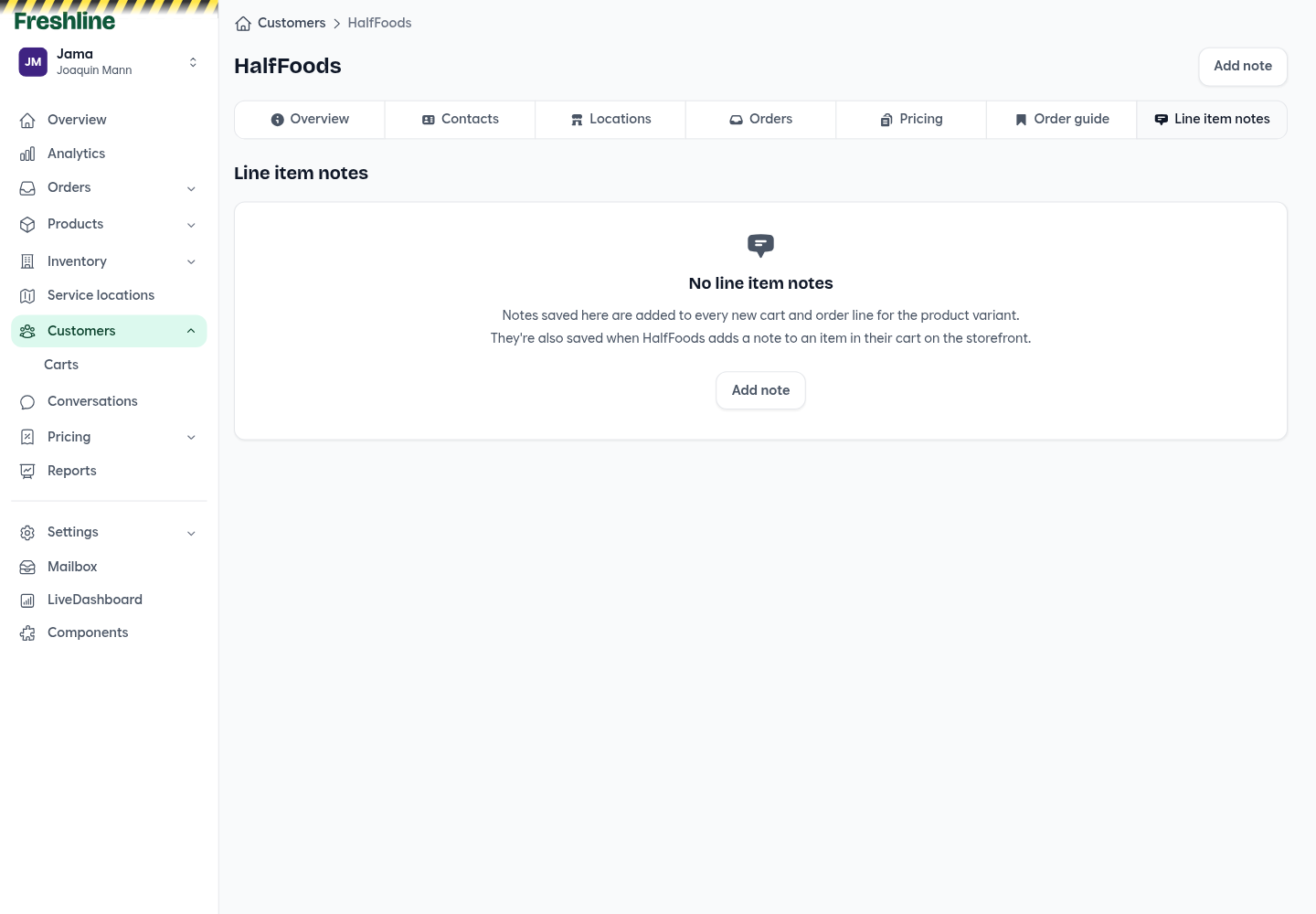
Line item notes live on the customer. A note saved here, or in the buyer's cart, is added to the next order for that variant.
Wait before auto-complete
Auto-complete can wait a set number of hours after the fulfillment day. If catch weights usually land the next day, set it to 48 so the order stays open until those weights are in. Orders can also include a zero-quantity line in admin, and reservations resync when that quantity changes.
Columns, imports, and the order sheet
Order custom data can be columns on the orders list, alongside a product status filter. SKUs sort in natural order, and invoices can use that same SKU order. QuickBooks Online and Business Central invoice imports can be staged as live orders that still need to be fulfilled, with historical import left as the default.
Order sheet edits survive a reconnect and save per order. Stock warnings refresh after a failed save or import, a failed delete stays on the page, and standing-order line items can be edited again. A line's stock cost stays stable across later saves, masked quantities convert using the case-size ratio, and reservations can come from lots that do not have a cost yet.
Editing an order recalculates fees when default fees are on, and per-unit fees bill on the base unit. New order numbers fast-forward using your existing number format, and the fulfillment start date stays on the day you picked when your timezone is ahead of UTC. Invoice emails that Postmark rejects are surfaced in admin.
Payments, invoices, and credits
Hold a Helcim card, then capture it
Helcim checkout can hold the order total on the customer's card and capture it when you complete the order, or when you open it. The hold is not a charge. Holds expire after seven days. Stores can still require no payment method, or a saved card or bank account, before an order is placed.
Customer payments and statements
A customer's Payments tab leads with account balance, current, past due, and credit limit, then the statement for the due-date range you choose. Download or print that statement from the same page. From the customer list, select accounts and send statements in bulk: each customer's admin and accounting contacts, and the billing email, get a PDF of the invoices due in that range. Deleted orders are left off the statement.
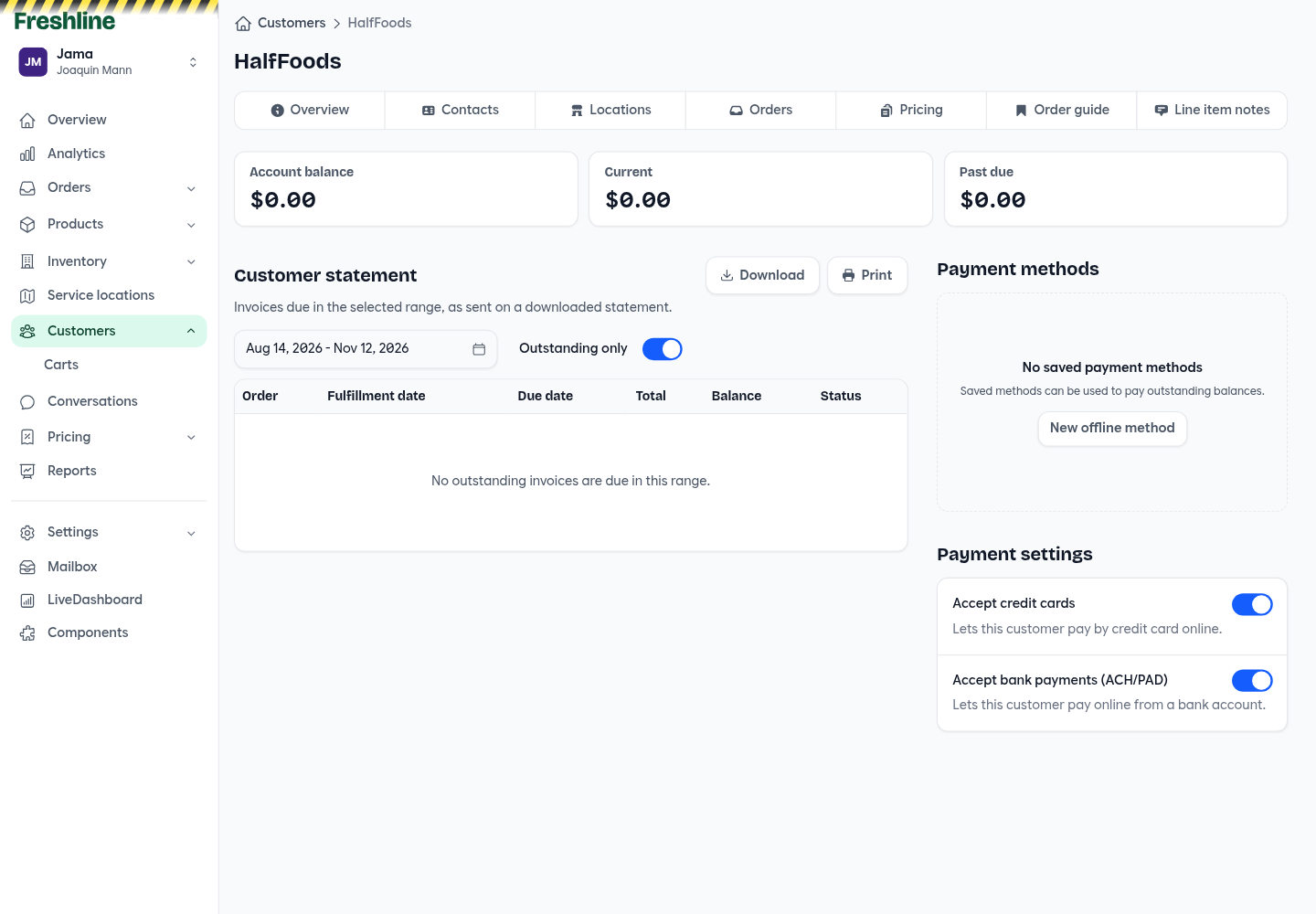
The Payments tab leads with balances, then the statement for the due-date range you choose.
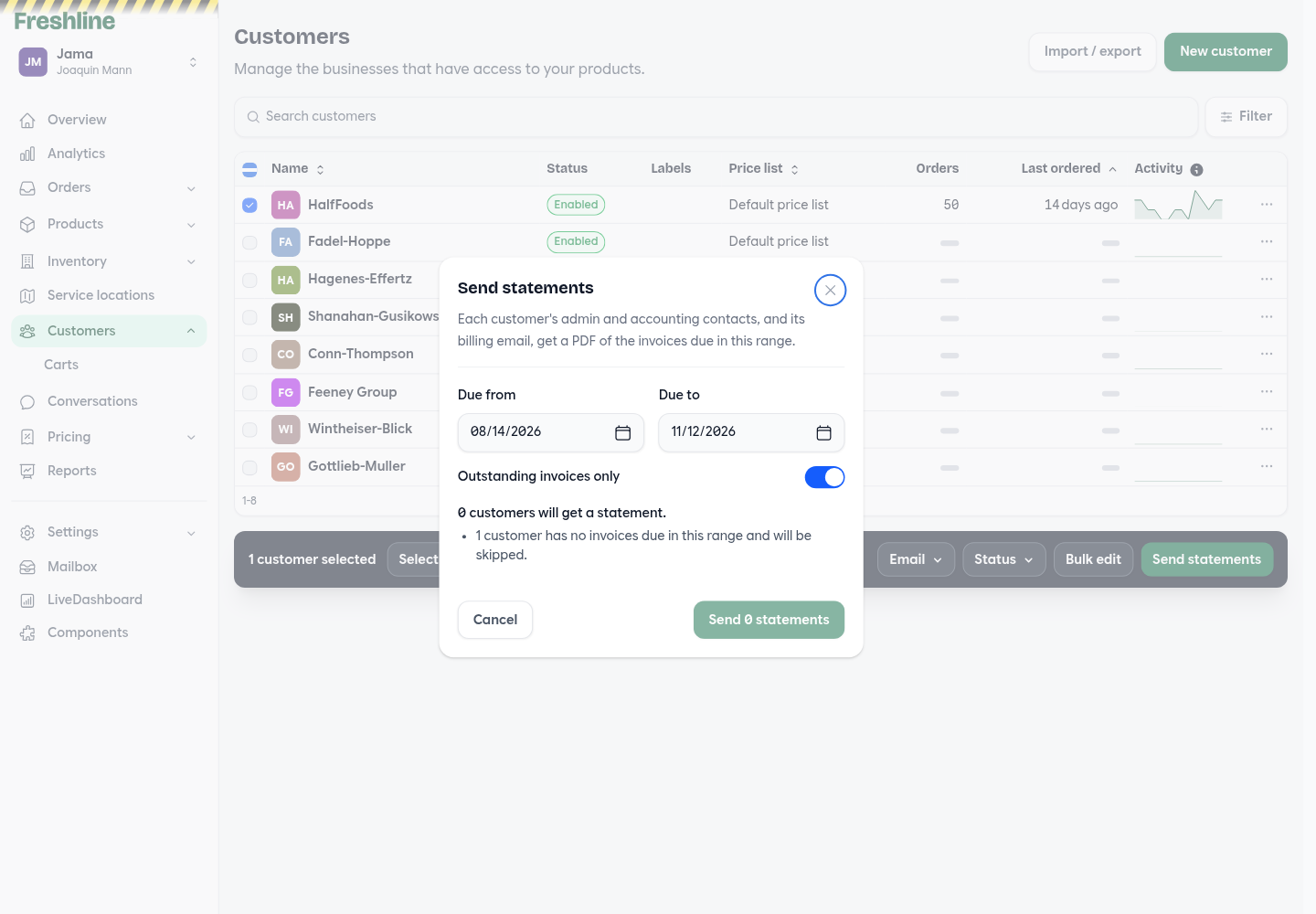
Select customers and send statement PDFs for a due-date range, optionally limited to outstanding invoices.
Autocharge retries three times, a day apart, including a zero-dollar charge, and an order can still complete when autocharge has no IP address. The refund action stays available on paid orders.
A number for every credit
Each line-item credit gets its own number: the order number, the issue date, and a sequence, so a credit can be found on the order, the credit memo, and the invoice. A credit data report lists those issuances.
Invoice dates, pick lists, and French email
Invoice display settings can print dates as MM/DD/YYYY or YYYY-MM-DD on customer-facing PDFs. Pick lists can include sales data columns. Tax rates save to five decimal places. Stores configured for French can send the French Postmark templates.
Inventory
Inventory, rebuilt around what is on hand
The inventory list is read-first. On-hand quantity edits in place. Receiving, adjusting, and editing stock happen in a drawer. Select the filtered set to export it, turn selling when out of stock on or off, or delete it in a background job. The stock page shows levels per warehouse, with the chart loading after the page, and an inventory sheet is available for bulk edits. Inventory pages stay hidden when tracking is off.
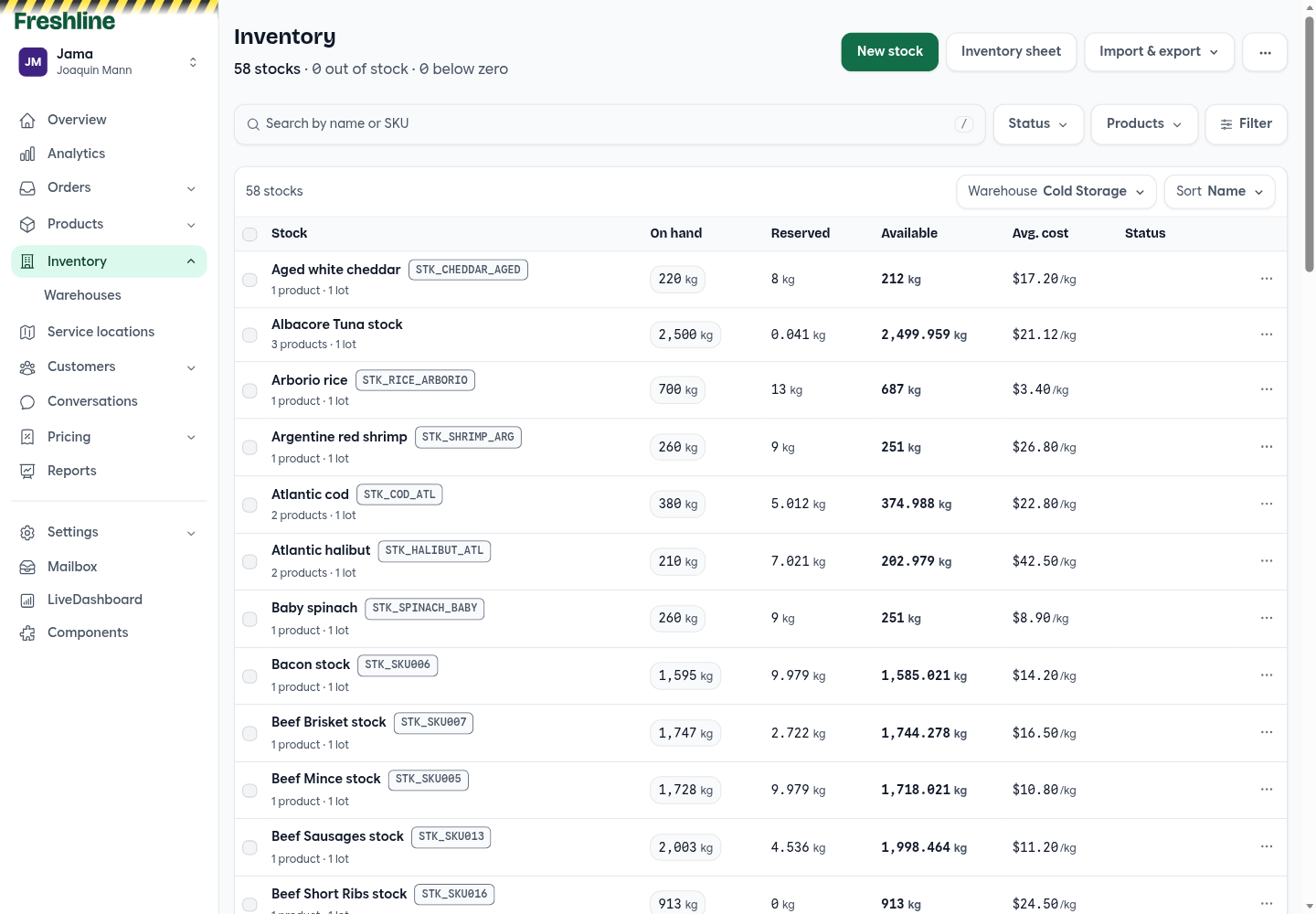
The inventory list is read-first: on hand, reserved, available, and average cost for the warehouse you are viewing.
Move a lot to another warehouse
Each lot can be transferred to another warehouse. Choose the destination and the quantity, and unreserved on-hand stock moves onto a matching lot, or a new one. A variant with no stock record reads Not tracked. Warehouse counts leave out deleted service locations, and receipt dates follow the browser's locale.
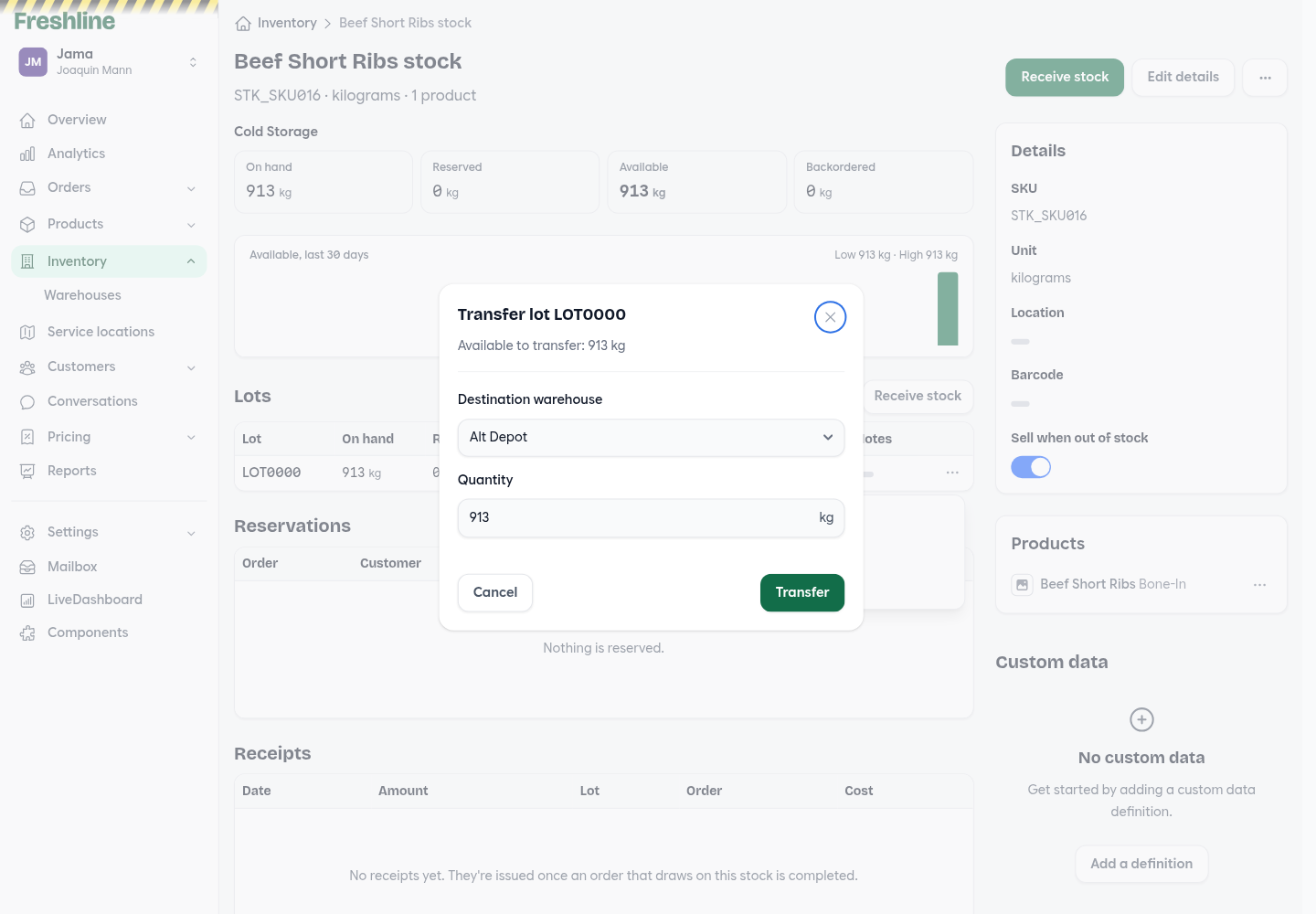
Transfer unreserved quantity from a lot to another warehouse.
Import pages include an export template, custom-field columns match their names as written, and text-formatted numeric cells import as numbers. Deleting a fulfillment window or schedule, including the last window, persists.
Admin, overview, and languages
Today, then the year behind it
Today's overview is separate from analytics. Today shows orders due, orders placed, and recent revenue, with a path into those orders.
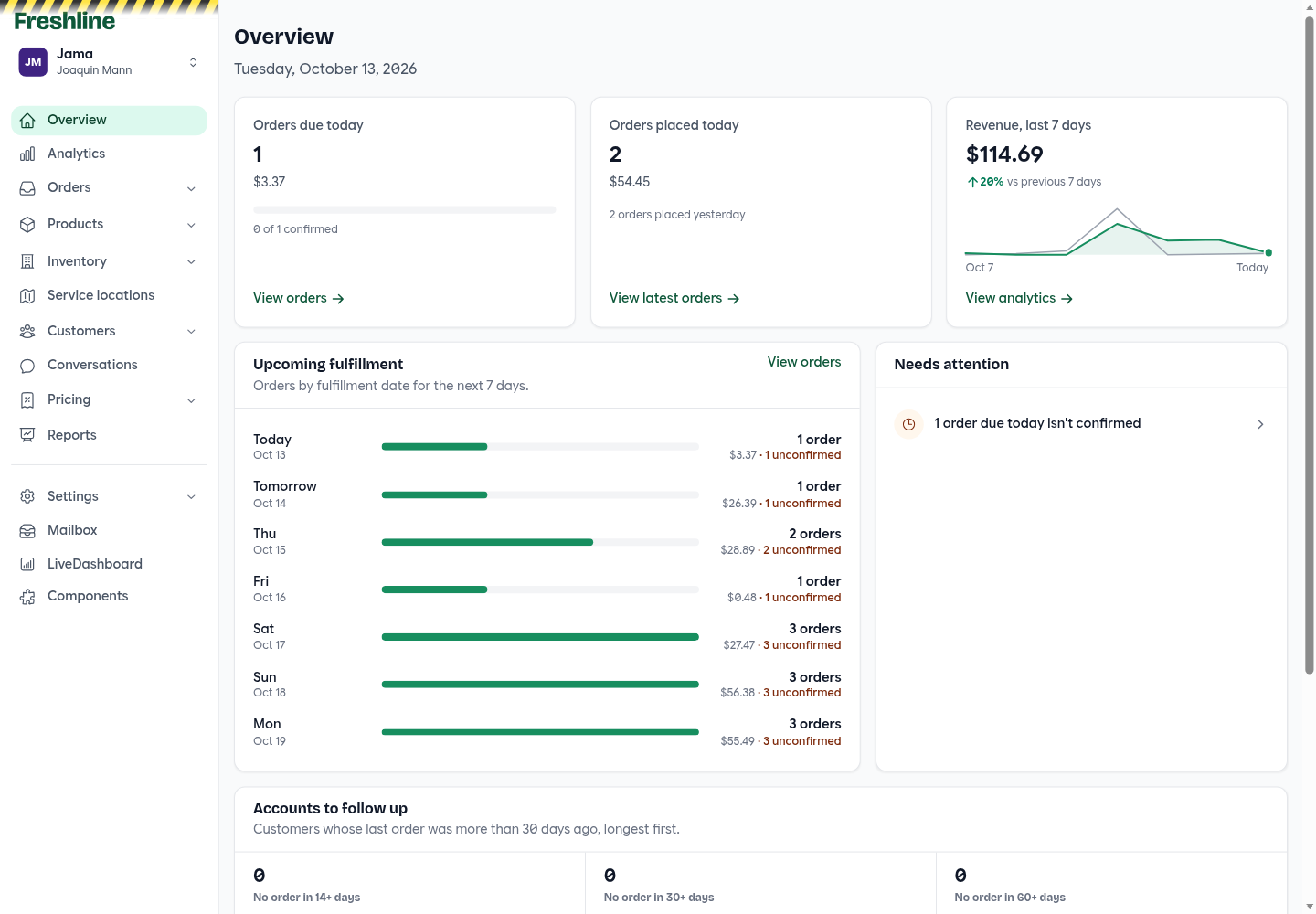
Today's overview: orders due, orders placed, recent revenue, and the next week of fulfillment.
Analytics is its own page, with charts for revenue, orders, and demand by weekday. A one-year heatmap of orders per day sits on the overview, and dormant accounts are a labelled strip above it: no order in 14, 30, or 60 or more days.
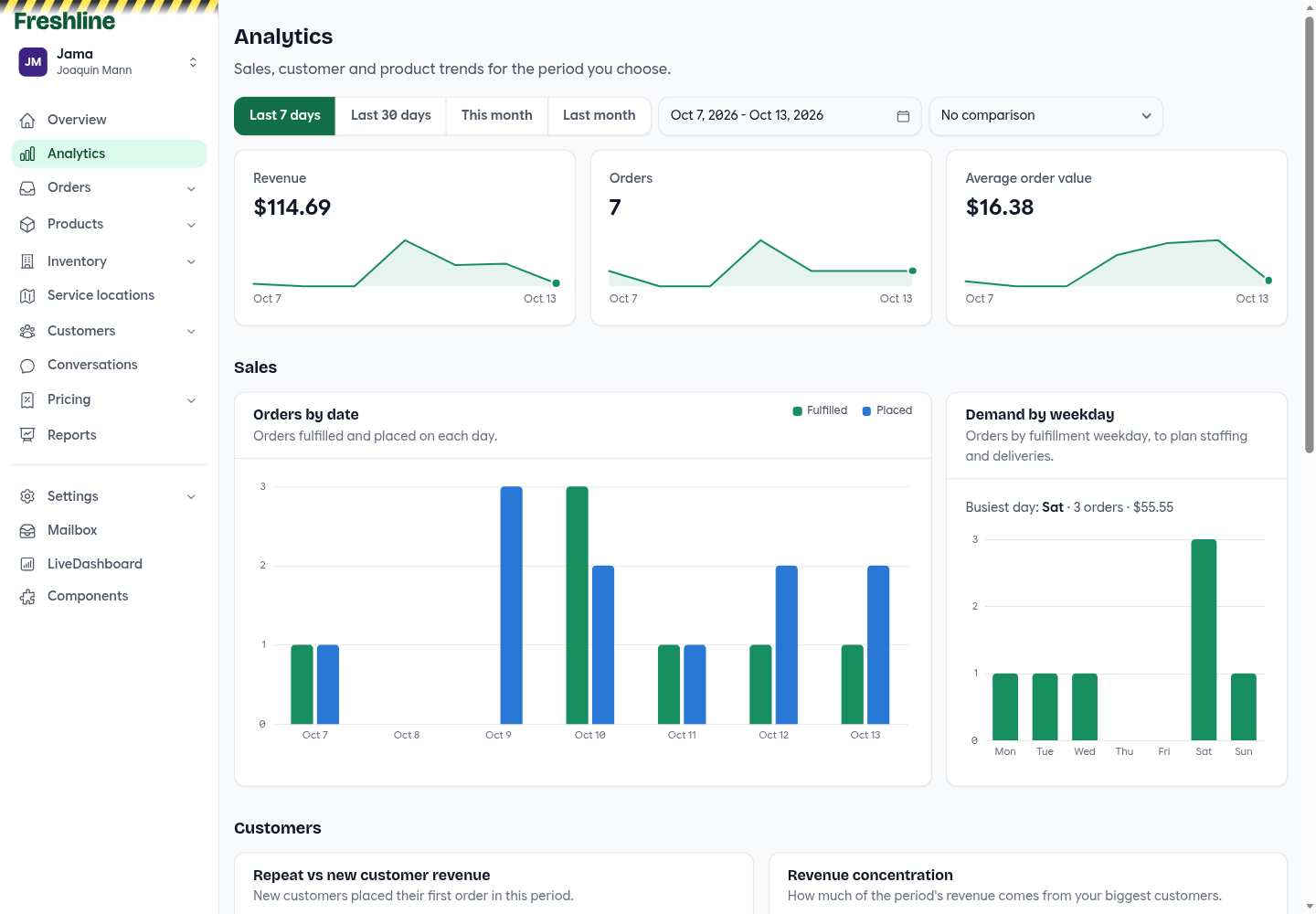
Analytics covers the period you choose, with fulfilled and placed orders side by side.
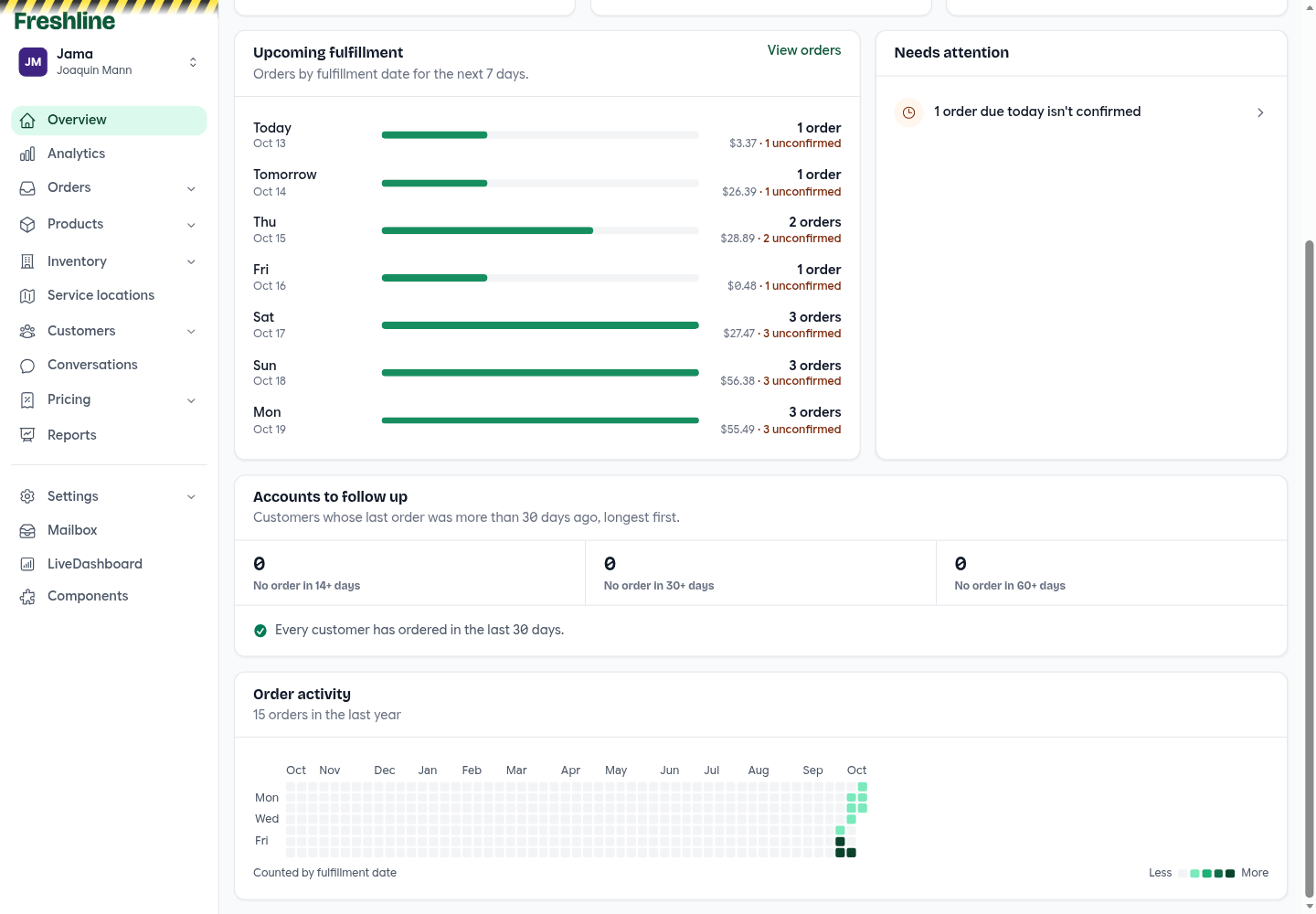
Dormant accounts are labelled by how long it has been since the last order, with a year of order activity underneath.
When a buyer places a storefront order, admin shows a toast that links to it and groups orders that arrive while it is open. Warehouse staff do not see that toast.
Carts, activity, and a cleaner delete
Staff can create and manage a customer's storefront cart from admin. Activity feeds open in a side drawer. Sales reps can create customer locations. Owners can delete other staff, including other owners.
Deleting a record archives it, and those removals sync to connected integrations. Customer location warnings that were firing in error are gone. Admin headings use Bricolage Grotesque, and order notes are tighter in light and dark mode.
Languages
The language menu distinguishes French (France) and French (Canada). Catalogs for French, Spanish, Simplified Chinese, Japanese, Korean, and Vietnamese were corrected and filled in, including new strings that are now wrapped for translation.
Signed webhooks
Webhook deliveries are signed, with a rotatable secret and a 14-day request log. Endpoints can subscribe to invoice, customer, and order state changes. Each endpoint delivers on its own job, retries, and turns itself off after repeated failure. Order payloads include fee items and taxes.
Thank you
As always, thank you for the feedback and feature requests that continue to shape the Freshline platform. Many of September's improvements — the price list, the inventory list, partial cases at checkout, and statements you can send in bulk — came directly from operator workflows we see every day.
If you would like a walkthrough of price lists, inventory, Helcim holds, or any other new capability, reply to your Freshline email or reach out to your Customer Success Manager.