For wholesale customers who order the same products week after week, the reordering process can be tedious. Recurring Orders (also known as standing orders) eliminate this friction by automating repeat purchases, saving your customers time and ensuring you never miss a sale.
What Are Recurring Orders?
Recurring Orders allow your customers to set up automatic, repeating orders on a schedule they choose. Instead of manually placing the same order every week, they configure it once and Freshline handles the rest. Orders are created automatically based on the defined schedule, with the same products, quantities, and delivery preferences.
Benefits for Your Customers
- No more forgotten orders: Customers never miss their regular order because it's created automatically on schedule.
- Time savings: Eliminates the repetitive process of rebuilding the same order every week. What used to take 10-15 minutes now takes zero effort.
- Flexibility to adjust: Customers can modify upcoming orders, skip a week, or pause their recurring order at any time. They're not locked in.
- Consistent supply: Restaurants, cafeterias, and retailers that depend on regular deliveries get reliable, predictable fulfillment.
Benefits for Your Business
- Predictable revenue: Standing orders give you visibility into future demand, making it easier to plan inventory, staffing, and routes.
- Higher retention: Customers with recurring orders are significantly less likely to switch suppliers. The convenience creates stickiness.
- Reduced order errors: Automated orders eliminate manual entry mistakes. The same validated order is placed every cycle.
- Less admin work: Your sales team spends less time taking repeat orders over the phone and more time on high-value activities.
How It Works in Freshline
Setting up recurring orders is straightforward for both you and your customers:
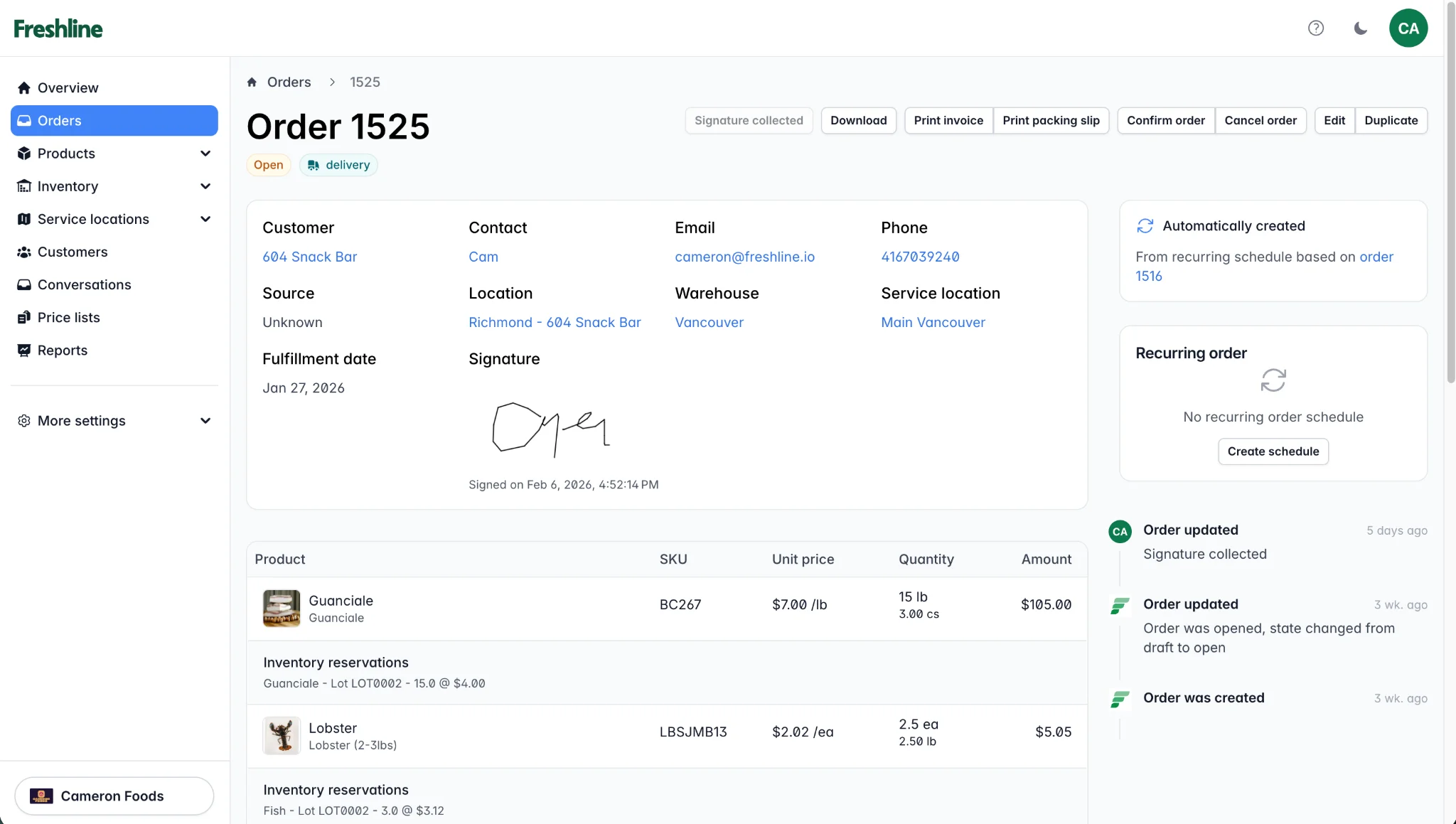
Orders created from a recurring schedule are clearly labeled as "Automatically created" in the order detail view.
- Customer creates a recurring order: From their storefront account, they select products, set quantities, choose a delivery schedule (weekly, bi-weekly, or custom), and pick their preferred delivery day.
- Freshline generates orders automatically: Before each cycle, the system creates a draft order based on the recurring template. If you've enabled auto-confirm, it's submitted automatically.
- Customers can review and adjust: Before the cut-off time, customers can log in to modify quantities, add or remove items, or skip the upcoming order.
- You fulfill as normal: The recurring order appears in your order management queue just like any other order. No special handling required.
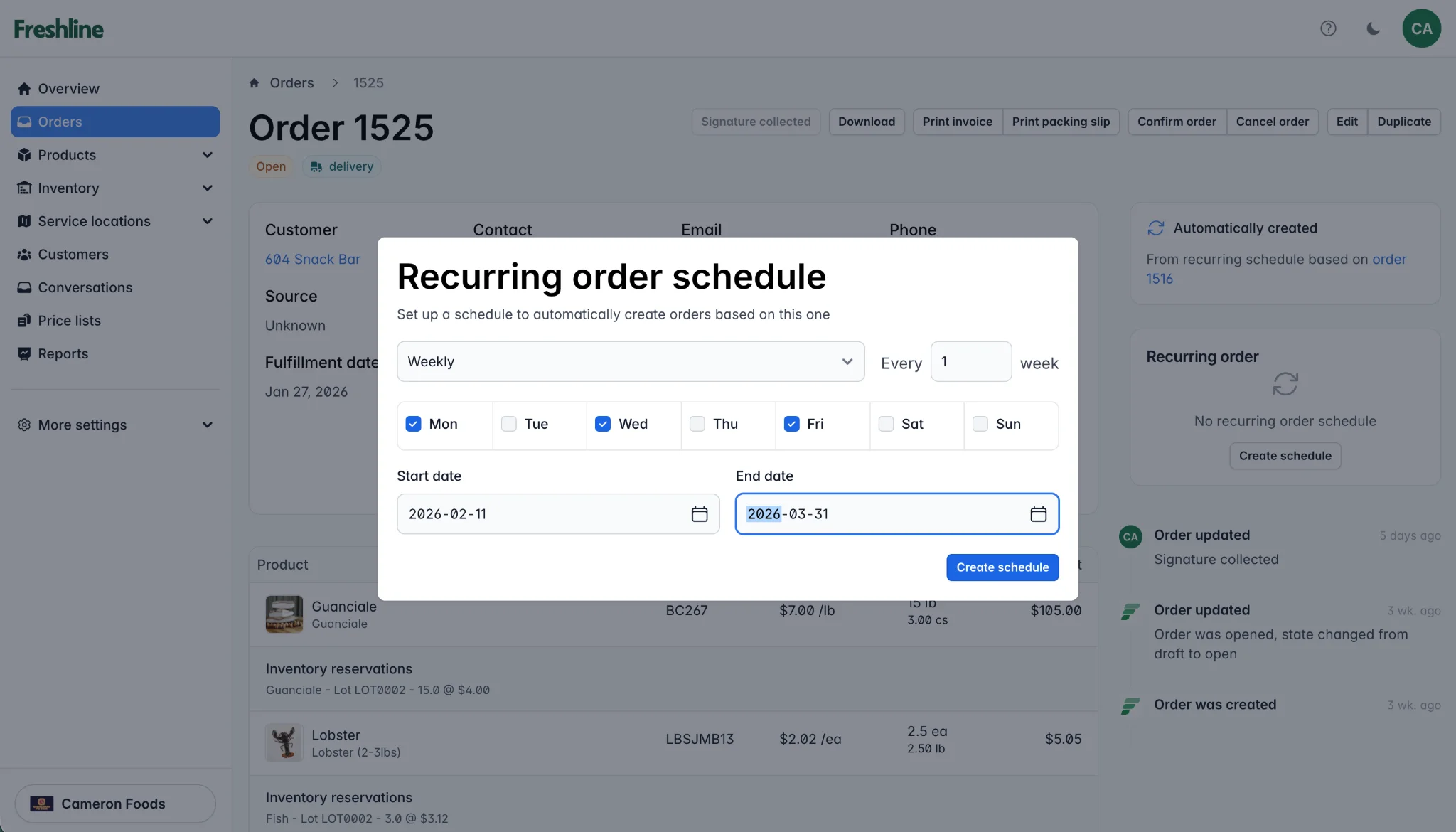
The recurring order schedule modal lets customers choose frequency, specific days, and a date range.
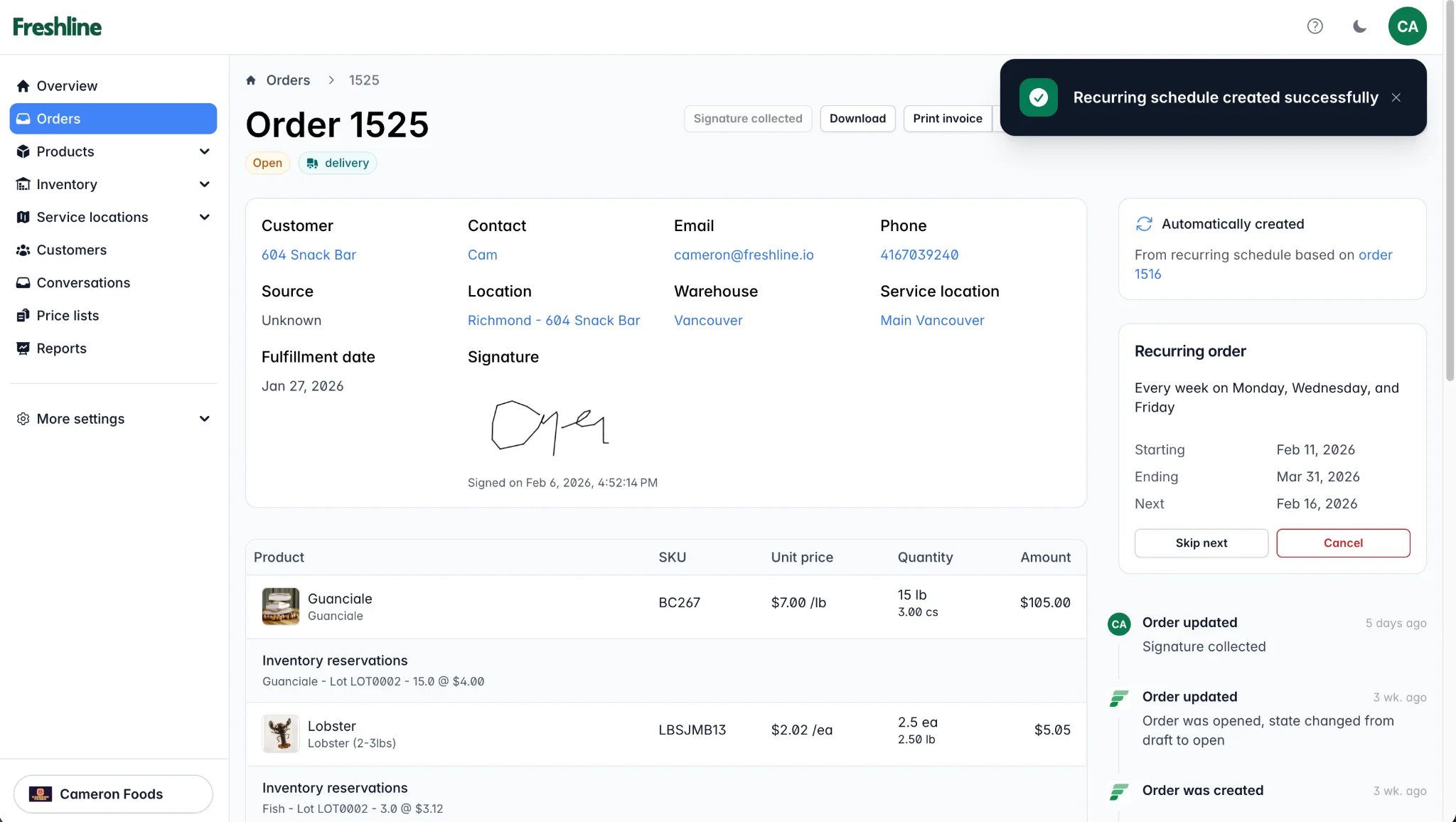
Once a recurring schedule is created, the order detail view shows the active schedule with options to skip the next order or cancel.
Tips for Driving Adoption
Here are a few ways to encourage your customers to start using recurring orders:
- Mention it during onboarding: when a new wholesale account is set up, walk them through the recurring order feature.
- Identify repeat buyers: look at your order history to find customers who order the same items regularly, and proactively suggest they set up a standing order.
- Highlight the time savings: most customers don't know this feature exists. A quick email or in-person mention goes a long way.
Getting Started
Recurring Orders are available on all Freshline plans. For a step-by-step setup guide, reach out to our team at support@freshline.io.