Manage multiple warehouse locations, route orders intelligently, and scale your operations, all from one dashboard. We're thrilled to launch Multi-Warehouse Support, one of the most requested features from our Enterprise customers.
The Challenge of Multiple Locations
As food distributors grow, they often expand to multiple warehouses to serve different regions or product lines. Managing inventory, orders, and fulfillment across these locations has traditionally meant juggling separate systems, spreadsheets, or manual workarounds. This leads to overselling, misrouted orders, and operational headaches.
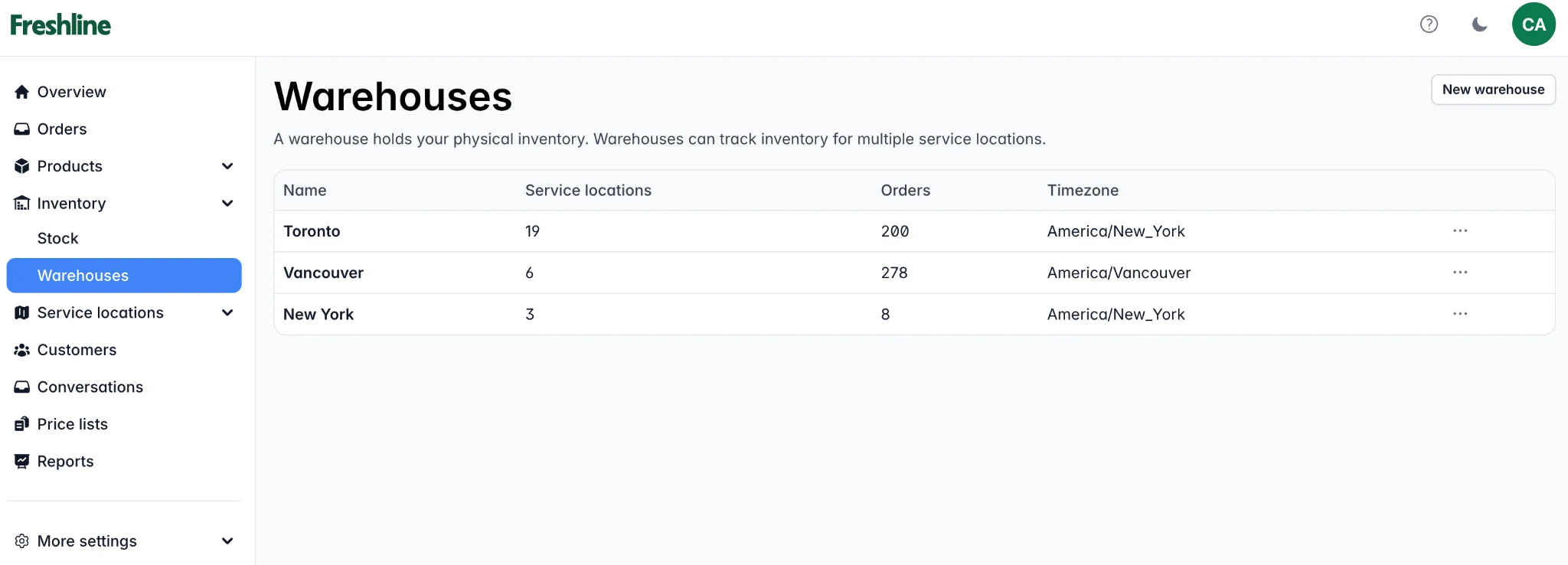
Manage all your warehouse locations from a single dashboard.
One Dashboard, Multiple Warehouses
With Multi-Warehouse Support, you can now manage all your locations from a single Freshline dashboard. Here's what's included:
- Warehouse-specific inventory: Track stock levels independently for each location. Know exactly what's available where, in real time.
- Intelligent order routing: Orders are automatically routed to the correct warehouse based on the customer's service location, product availability, and your routing rules.
- Location-based pricing: Set different price lists per warehouse to account for regional pricing differences or cost variations.
- Unified reporting: View consolidated reports across all warehouses, or drill down into individual location performance.
- Per-warehouse schedules: Configure delivery schedules, cut-off times, and service zones independently for each warehouse.
How Order Routing Works
When a customer places an order, Freshline evaluates the customer's delivery zone and matches it against your warehouse service areas. The order is then routed to the appropriate warehouse automatically. If a product is unavailable at the primary warehouse, the system can flag it for manual review or route to an alternate location based on your preferences.
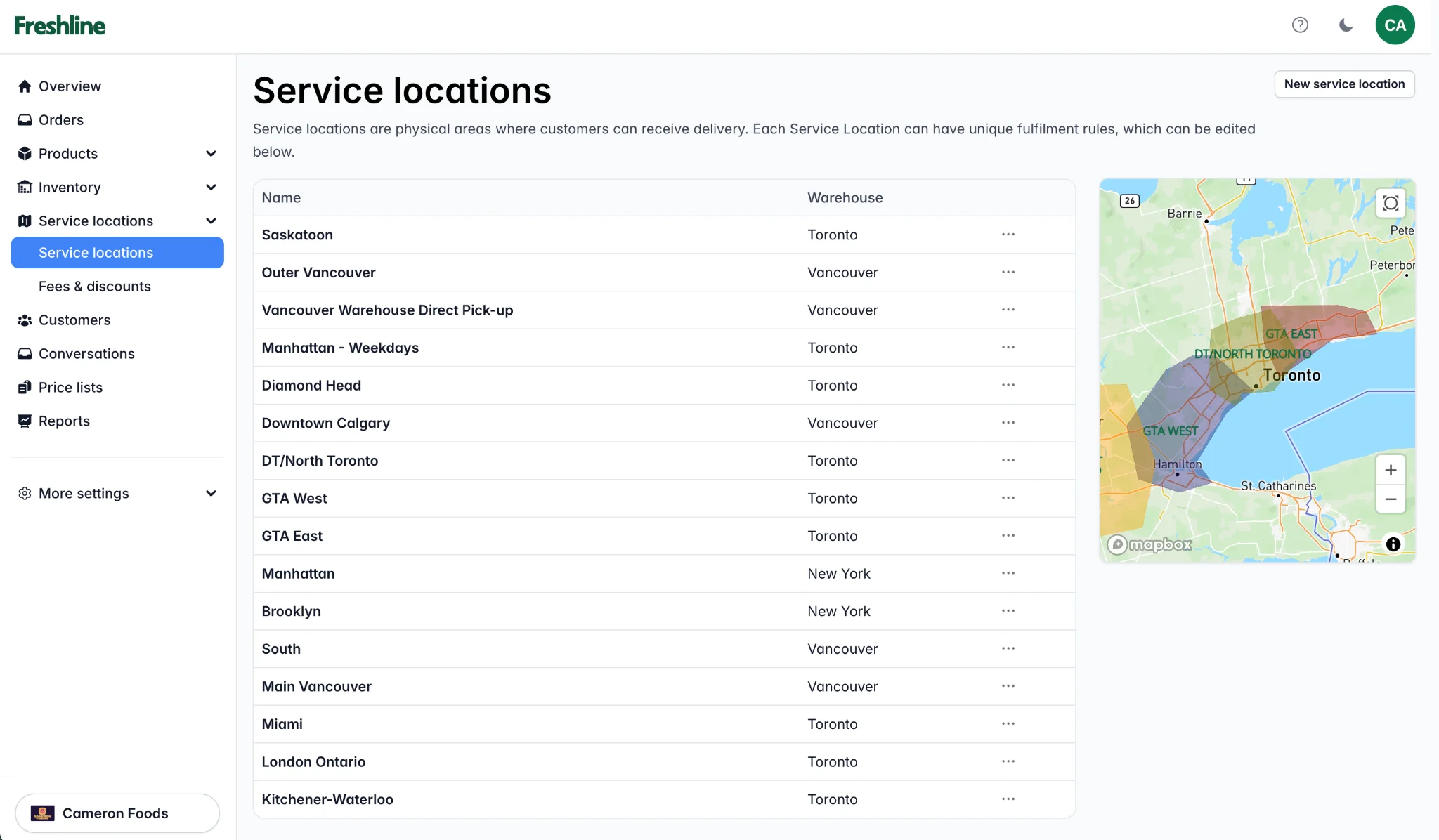
Service locations are automatically mapped to the correct warehouse for intelligent order routing.
Setting It Up
Multi-Warehouse is available on the Enterprise plan. To get started:
- Navigate to Settings → Warehouses in your dashboard.
- Add your warehouse locations with addresses and service zones.
- Assign products and inventory to each warehouse.
- Configure routing rules and delivery schedules per location.
For the full setup guide, reach out to our team at support@freshline.io.
What This Means for Your Business
Multi-Warehouse Support eliminates the need for separate systems or manual coordination between locations. Your team gets a unified view of operations, your customers get faster and more accurate fulfillment, and your business gains the infrastructure to scale confidently.