May was one of the largest product releases in Freshline history, with major investments across ordering, reporting, inventory management, storefront UX, pricing, and sales team workflows.
New Order Management Experience
New Order Form
We completely rebuilt the admin order creation experience from the ground up. The new workflow is faster, easier to navigate, and designed to help customer service teams enter orders more efficiently while reducing clicks and errors.
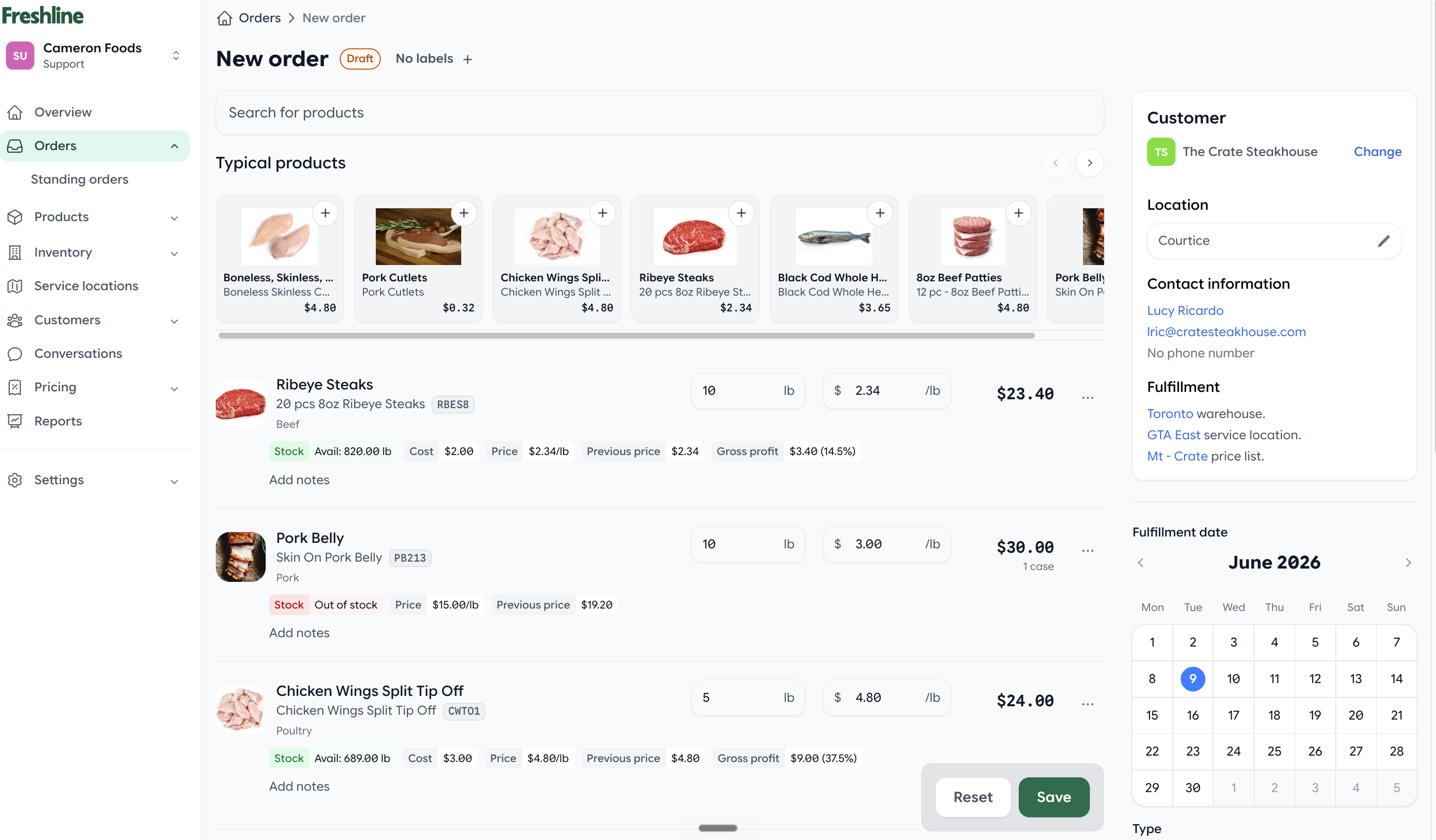
The rebuilt create order page gives admins a faster, clearer order entry workflow.
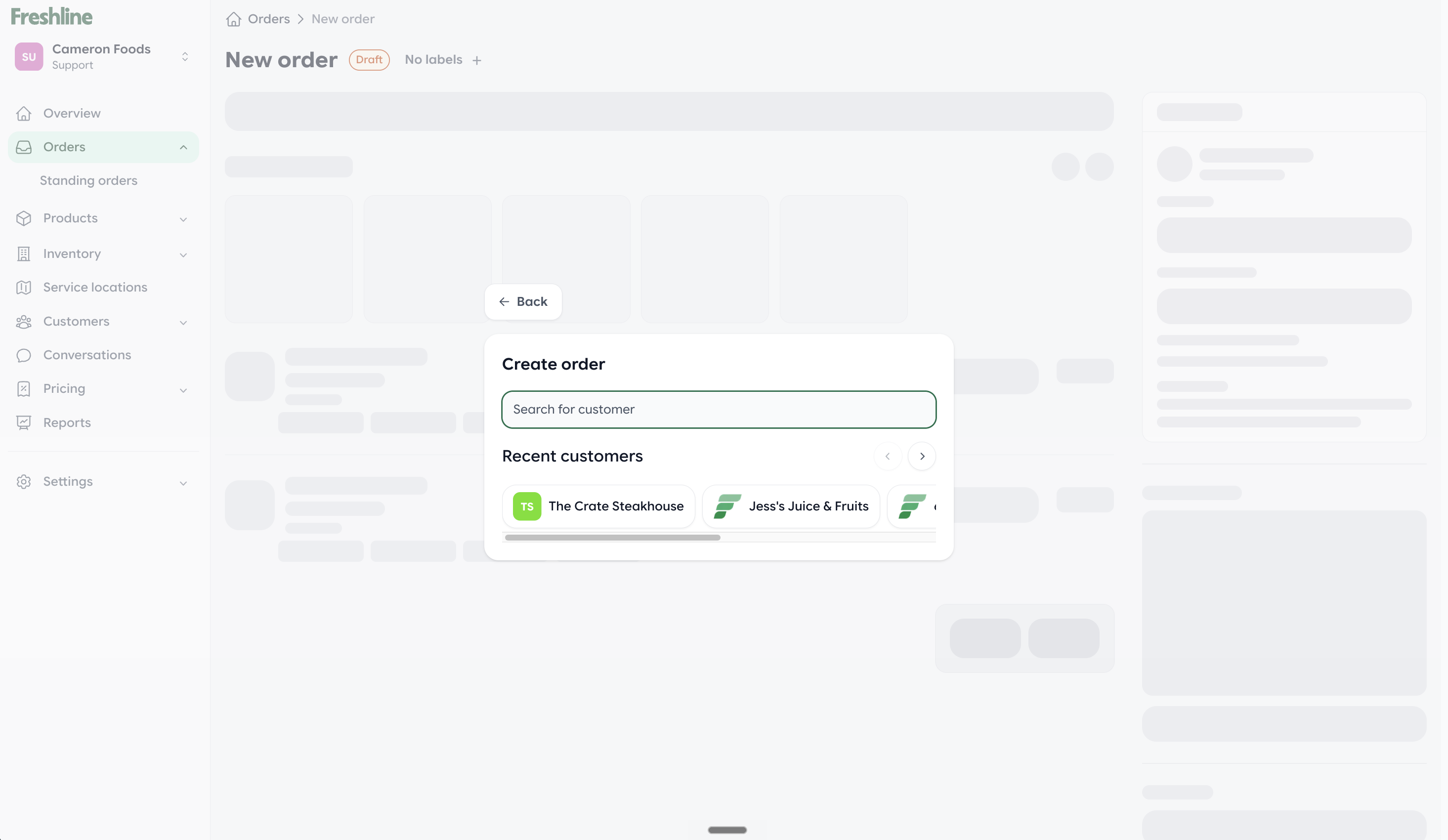
Customer search is built directly into the new order creation flow.
Improved Spreadsheet Order Editor
We improved the spreadsheet-style order editor to make large order modifications dramatically faster and easier to manage.
Order Labels
Create custom labels, tag orders, filter by labels, and include labels in reporting workflows.
Examples include VIP Customers, Wholesale, Priority Delivery, and Follow-Up Required.
Draft-to-Open Controls
Admins can now control whether newly created orders remain in draft status or automatically move to open.
Inventory Reservations on Orders
Manage inventory reservations directly from the order itself without needing to navigate elsewhere.
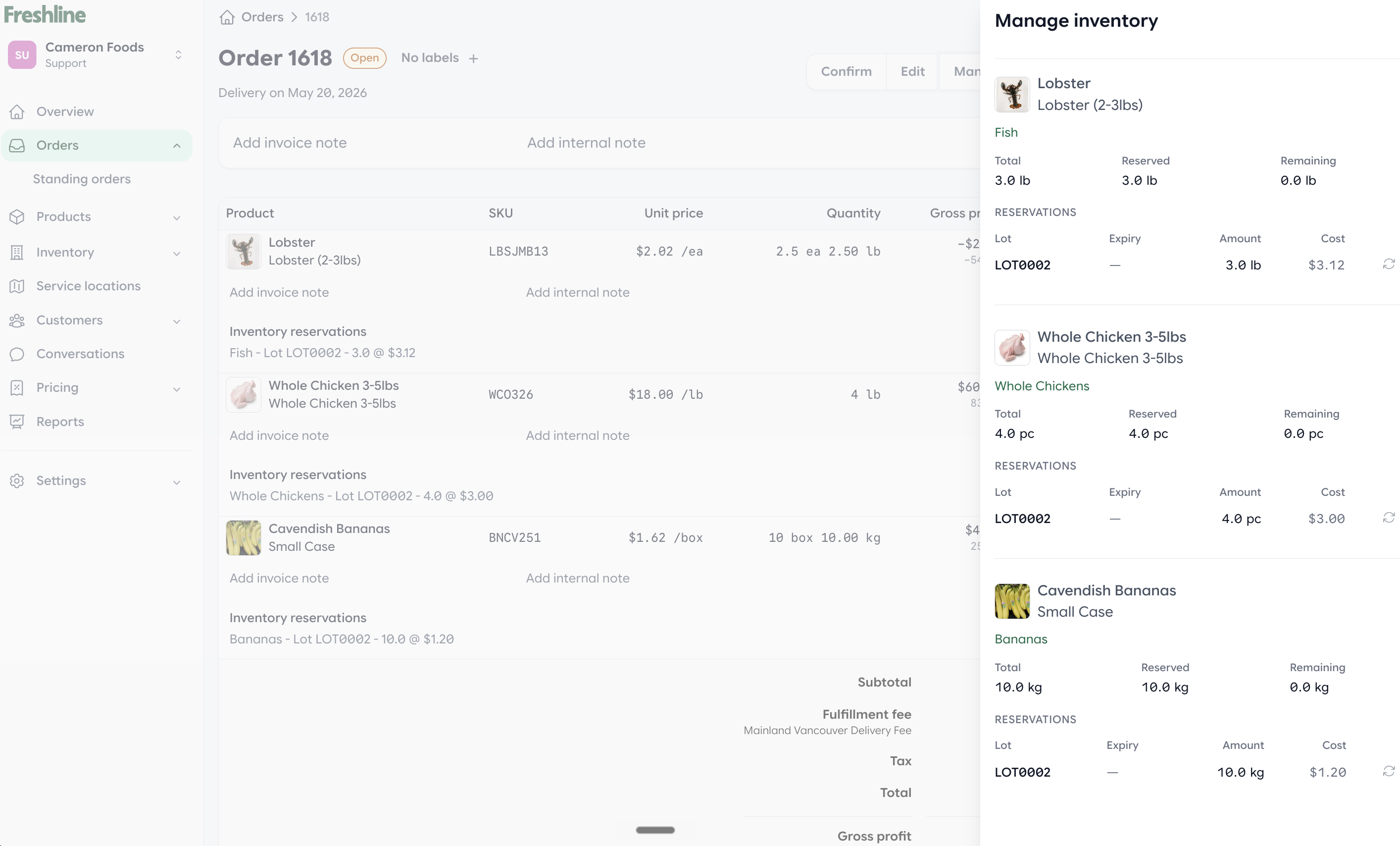
Admins can manage inventory reservations from the order page.
Apply Customer Credits to Orders
Customer account credits can now be applied directly when creating orders in admin.
Reporting Improvements
Preview-First Reports
We redesigned reporting with a new preview-first workflow. Before saving a report, teams can preview live data instantly, adjust filters, validate results, and save only when they are satisfied.
This significantly reduces report setup time and eliminates guesswork.
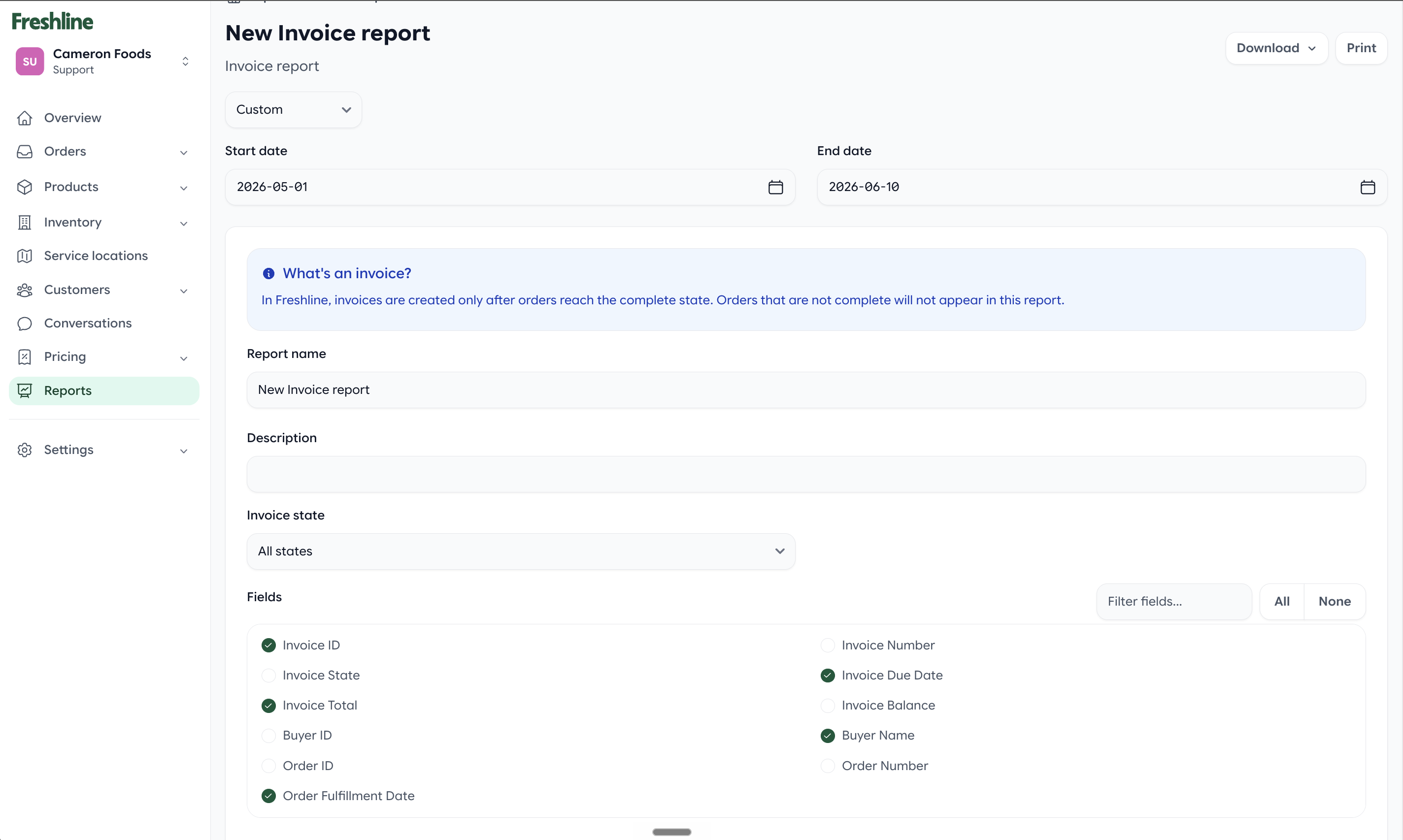
Preview report data before saving.
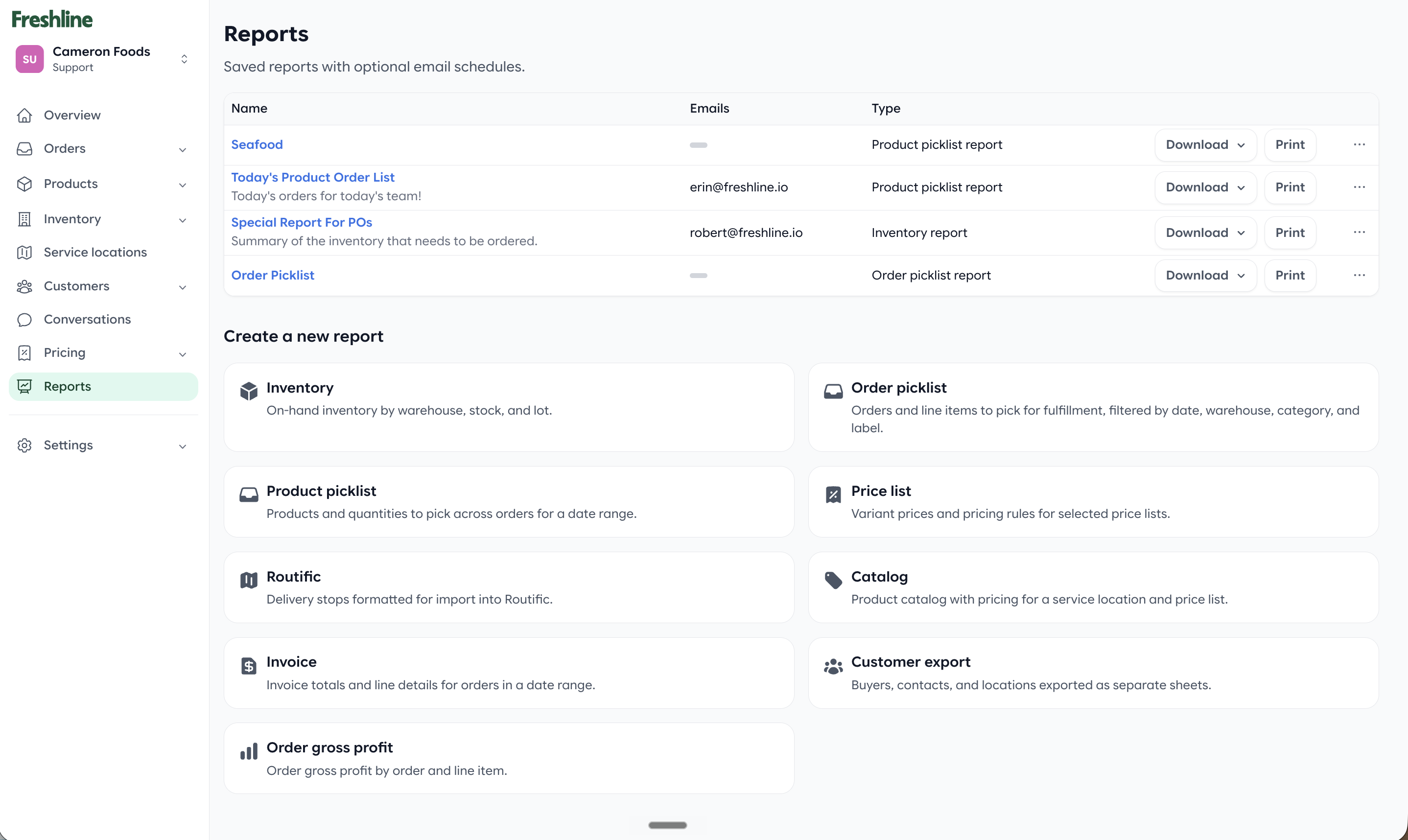
Adjust filters and validate results in the preview workflow.
Order Labels in Reporting
Order labels can now be used for filtering and segmentation throughout reports.
Storefront & Checkout Improvements
Checkout Redesign
We completely refreshed the storefront checkout experience with a cleaner, faster, and more intuitive workflow.
Product Recommendations
Freshline now automatically surfaces related products and purchasing suggestions to buyers while they shop.
Standing Orders from Checkout
Buyers can now create recurring orders directly during checkout. This is perfect for customers ordering the same products every week.
Improved Out-of-Stock Handling
Instead of simply showing errors, Freshline now presents clear actions buyers can take when products are unavailable.
Out-of-Stock Visibility Controls
Distributors can now decide whether out-of-stock products remain visible on their storefront.
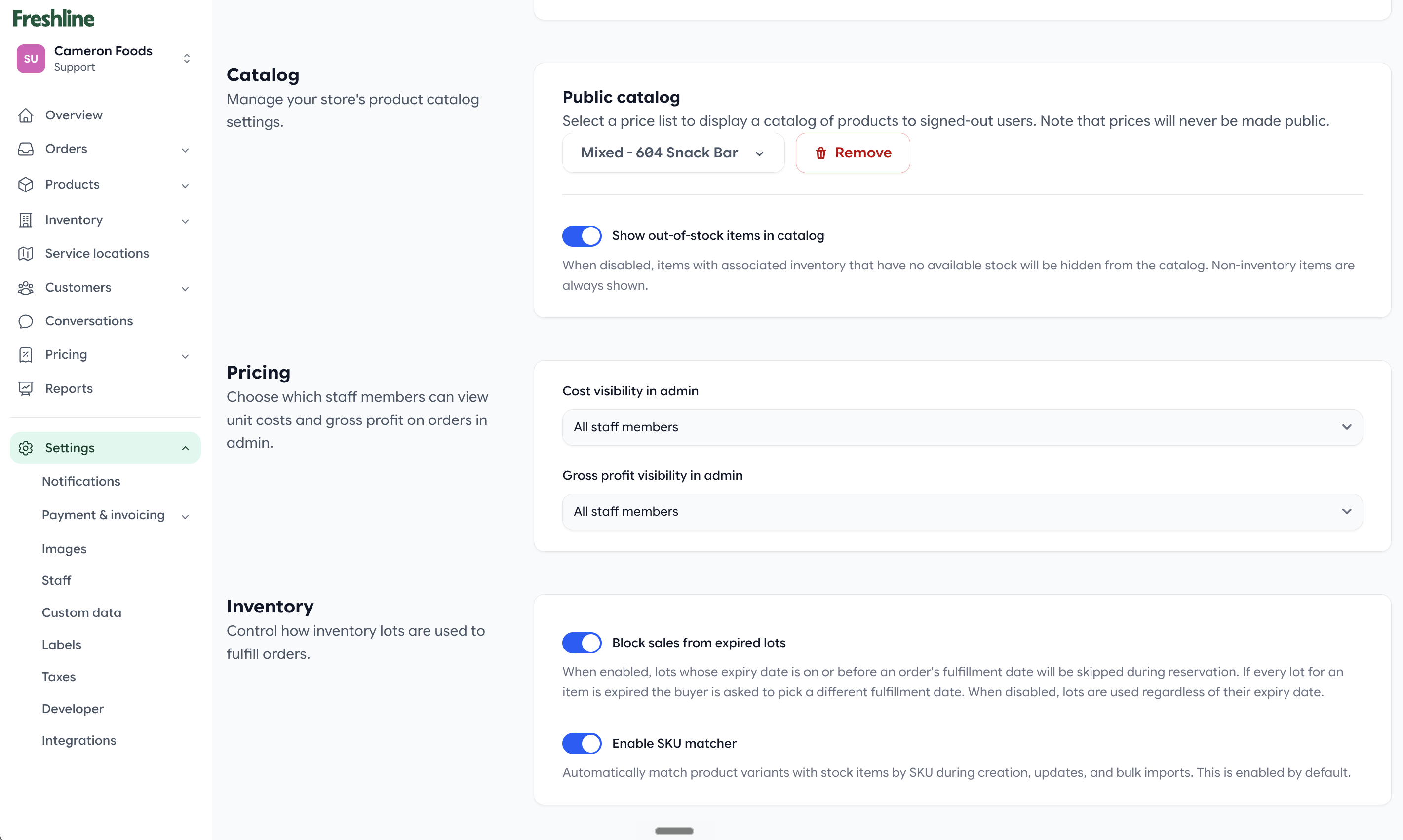
Store owners can control whether out-of-stock products remain visible to buyers.
Custom Product Data on Storefront
Display custom product attributes directly on product pages to provide buyers with additional purchasing information.
Hide Recently Ordered Section
Store owners can now disable the Recently Ordered section entirely when desired.
Inventory & Product Management
Expired Lot Protection
Freshline now prevents inventory from being sold from expired lots, helping distributors improve compliance and reduce fulfillment mistakes.
Barcode Support
Barcodes can now be added directly to inventory records and viewed throughout order management workflows.
SKU Auto-Matching
Freshline can now automatically match and link products based on SKU values, reducing manual catalog management.
Enhanced Fee Management
Fee configuration has been expanded and fees can now be included in import/export workflows.
Historical Order Imports
Import historical orders without impacting inventory reservations while receiving detailed error reporting and validation feedback.
Pricing & Order Controls
Customer & Price List Minimums
Set minimum order amounts at either the customer level or the price list level. This provides significantly more flexibility for enforcing order thresholds across different buyer groups.
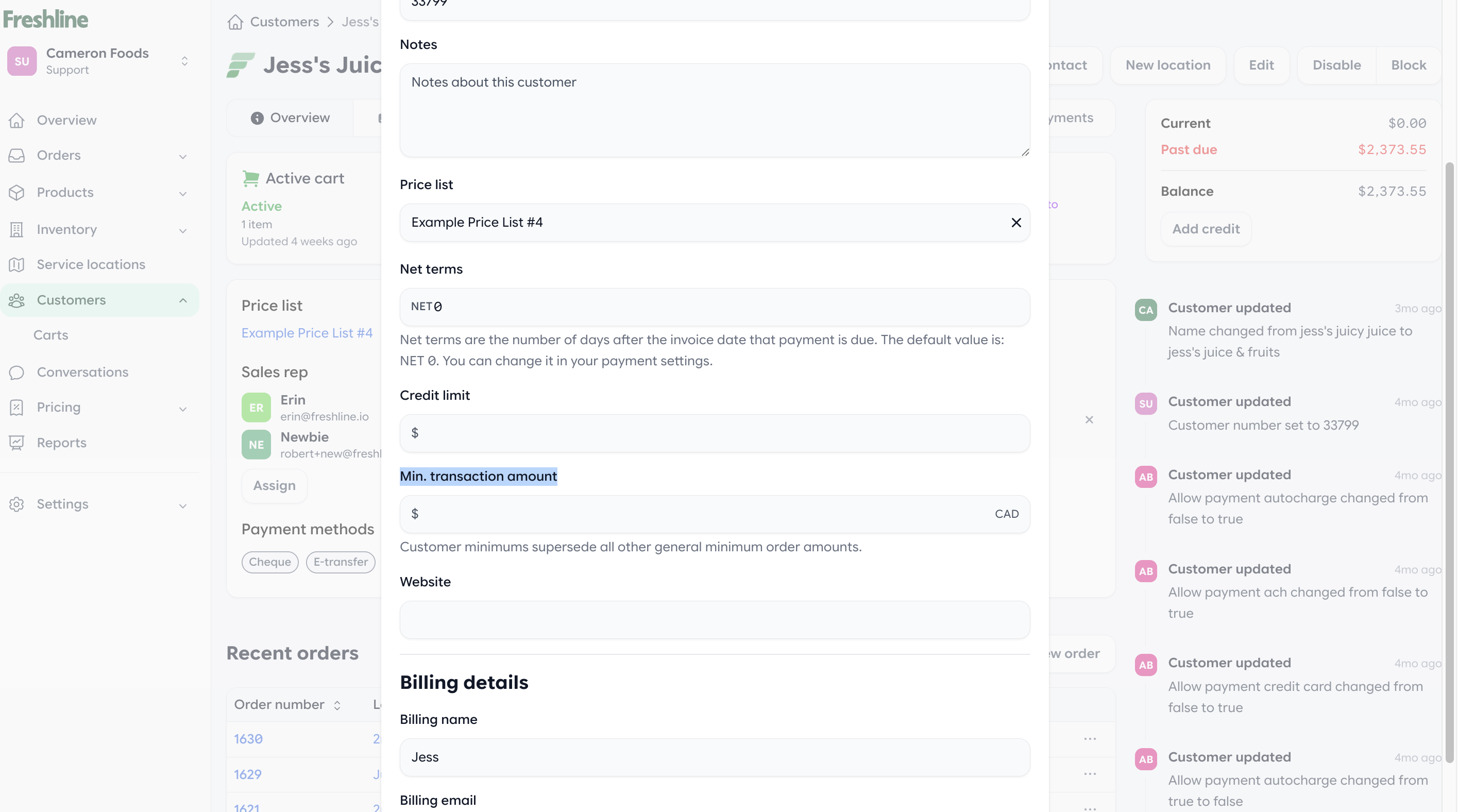
Minimum order thresholds can be configured for specific customers or price lists.
Sales Team Improvements
Sales Rep Portfolio View
We improved the existing sales rep dashboard to make it more personalized around each rep's assigned customer portfolio. Reps can more quickly focus on the accounts they manage, with better visibility into account activity and simpler day-to-day customer management.
Buyer Ledger
A new buyer ledger view provides complete transaction history for every customer, making account reviews and customer support significantly easier.
By The Numbers
During May we shipped:
- 22 major customer-facing features
- Multiple storefront and checkout enhancements
- Significant reporting upgrades
- Major inventory management improvements
- Expanded ERP synchronization capabilities
- Hundreds of smaller fixes, performance improvements, and quality-of-life enhancements
As always, thank you for the feedback and feature requests that continue to shape the Freshline platform. We look forward to sharing even more improvements next month.