July brought a major platform milestone with the launch of Freshline MCP, a rebuilt production sheet for kitchen and warehouse teams, smarter fulfillment scheduling, and continued investments across reporting, inventory, customer management, and the storefront experience.
Freshline MCP and professional services
A new way to connect AI tools to your operation
Freshline MCP is a secure connection layer that lets approved AI assistants work directly with your Freshline data — customers, products, pricing, orders, and reports — using the same business rules your team relies on every day.
Instead of exporting spreadsheets or building one-off integrations, authorized tools can search and update your catalog, look up customer accounts, review open orders, preview saved reports, and pull business-health metrics like top buyers and top products. Every connection runs through Freshline's standard staff login and consent flow, so access stays tied to a real user, scoped to your store, and limited to the permissions that user already has.
Freshline MCP understands distributor-specific concepts — customer price lists, product variants, catch-weight products, net terms, and multi-location inventory — so automated work reflects how your operation actually runs, not a generic retail template.
Workflow automation as a service
Alongside the MCP platform, Freshline now offers Workflow Automation as a Service for Enterprise customers who want hands-on help getting more from the platform.
This is for teams that know where automation would save time but do not have the bandwidth to design and deploy it themselves. Freshline works with you to:
- Map your current workflows — how orders, credit checks, fulfillment, billing, and customer communication actually flow today, including the edge cases that break generic tools
- Define clear scope and deliverables — what will be built, what data and integrations are involved, expected outcomes, and who on your team approves changes
- Deploy on Freshline — configuration, reporting setup, catalog and pricing work, integration tuning, and MCP-powered automations built against your live data
- Iterate over time — monitor results, refine workflows, and expand automation as your business evolves
Each engagement is governed by a service revenue contract that sets expectations upfront: the work Freshline will perform, pricing, timeline, approval points, and responsibilities on both sides. That clarity helps customers move faster with less back-and-forth and gives Freshline a consistent, auditable way to deliver implementation, configuration, reporting, data cleanup, integration, and operational services.
Why this matters for customers
Freshline MCP and the services model around it are designed to deliver practical value:
- Faster project delivery — Freshline can configure catalogs, build reports, set up pricing, and tune integrations without lengthy manual handoffs
- Less manual work — routine data tasks, report previews, and catalog updates can be handled through approved tools instead of repetitive admin work
- Clearer project scope — contracts define what is in and out of each engagement before work begins
- Greater access to Freshline expertise — Enterprise customers get dedicated discovery, custom workflow development, ongoing optimization, and priority support
- Secure, controlled access — MCP connections require staff authorization, respect existing role permissions, and operate within your tenant boundary
Common projects this supports include catalog and pricing setup, custom report design, ERP integration tuning, customer data migration, operational workflow automation, and ongoing optimization for high-volume distributors.
Freshline MCP is being rolled out to Enterprise customers. If you are interested in a workflow discovery session or want to understand what is available on your plan, reach out to your Customer Success Manager.
Production sheet rebuild
July marked the return of a dedicated Production sheet — rebuilt from the ground up for teams that plan daily production from open orders.
The new production sheet gives kitchen and warehouse staff a variant-by-warehouse view of what needs to be made for a selected fulfillment day, with the same spreadsheet-style experience teams already use on order sheets:
- Fulfillment date filtering with saved presets and column layouts
- Writable production tracking — record quantities produced and add dated production notes that autosave
- Live inventory context — on hand, reserved, and available columns refresh as stock changes
- Fulfillment window and method columns — see demand broken out by delivery window, pickup, and delivery type
- Print-ready output — portrait or landscape printing with preset names in the header
This replaces manual picklist workflows with a purpose-built production planning surface that stays in sync with orders and inventory throughout the day.
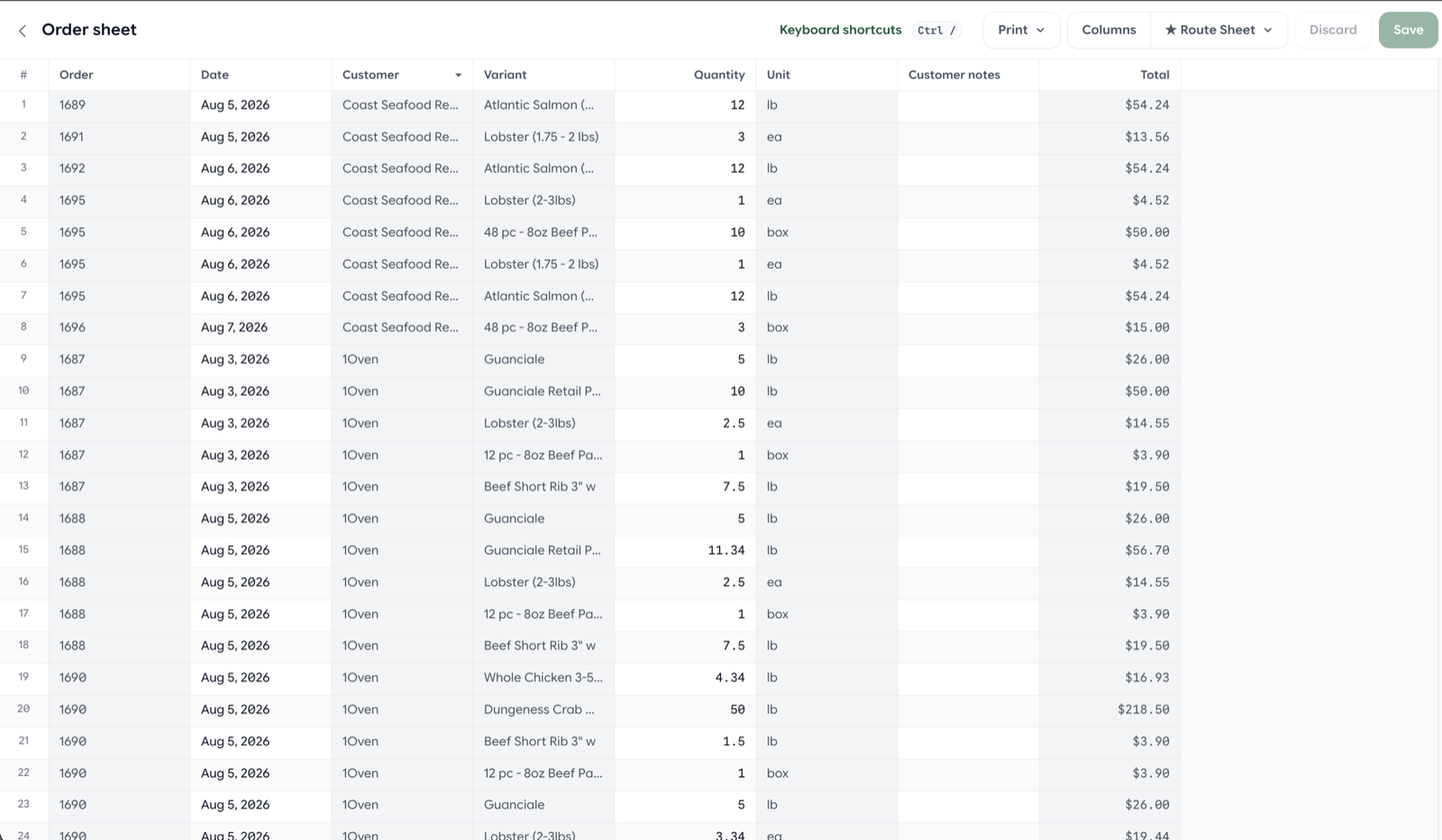
The rebuilt production sheet uses the same spreadsheet-style experience teams already use on order sheets.
Reporting improvements
Sales history, purchase summary, and margin risk
Three important report types returned on the preview-first reporting workflow:
- Sales history — analyze order line performance over time
- Customer purchase summary — see what each customer is buying across products and periods
- Margin risk — identify products where cost changes may be eroding margin
All three follow the same preview-before-save pattern introduced earlier this year, so teams can validate filters and results before generating exports.
Custom report column order
Reports now honor the column order you choose. Drag column headers in the preview to arrange exports exactly how you need them, save the layout with the report, and generate Excel files that match. A sticky save bar on report pages makes it easier to customize, reorder, and save without losing your place.
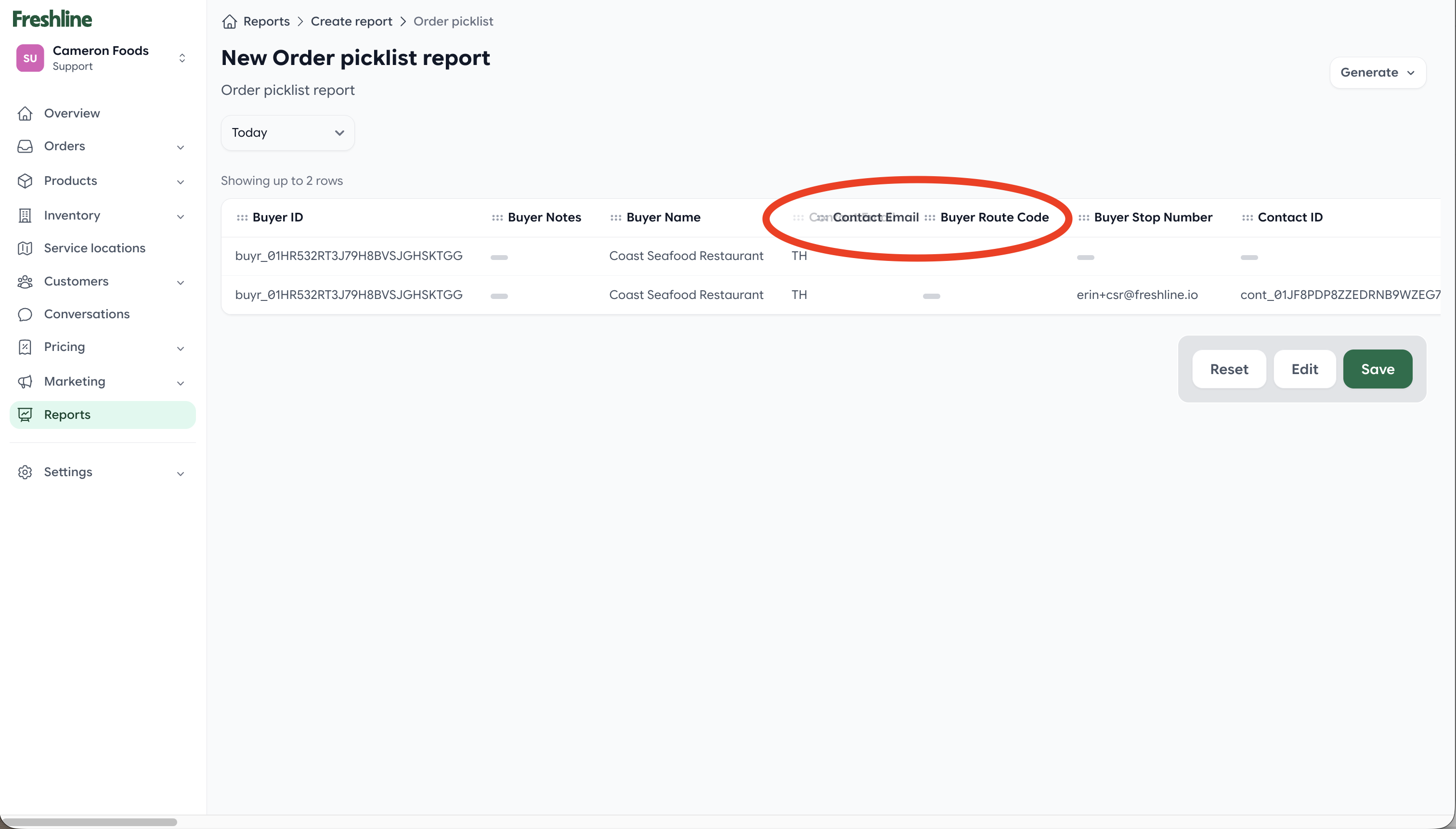
Drag column headers in the report preview to arrange exports exactly how you need them.
More reliable report exports
Report exports are now stored in cloud storage, making downloads more reliable across server restarts and background processing. The export panel was also refined with clearer generate actions and a dedicated print option for completed PDF reports.
Inventory and ERP
Business Central inventory provider
Freshline now supports Microsoft Dynamics 365 Business Central as an inventory source. When configured, availability and cost can be read directly from Business Central during order entry and fulfillment, with a read-through cache to keep admin workflows responsive. This extends Freshline's inventory provider model beyond the built-in default, giving BC customers a more connected inventory experience.
Clearer stock errors at checkout
When buyers hit inventory limits, the storefront now shows all shortfalls at once instead of one error at a time. Each affected line displays the available quantity with options to reduce to the available amount or remove the item entirely. This makes it much easier for buyers to adjust carts and complete orders without repeated trial and error.
Customer and catalog management
Labels on customers and products
Labels — already available on orders — now extend to customers and products. Tag accounts and catalog items, filter lists by label, apply labels in bulk, and use them to organize workflows across your operation. Examples include VIP accounts, seasonal products, or items that need follow-up.
Apply labels to customers and products, then filter lists and bulk-update across your operation.
Redesigned customer locations
The customer Locations page now follows the same side-tab layout as Contacts: a scrollable location list on the left and inline detail editing on the right. Create, edit, reorder, and enable locations without modal pop-ups, making multi-location account management faster for customer service teams.
Buyer signup controls
Store owners now have clearer control over new account signups with three signup statuses:
- Approved — new buyers can register and shop immediately
- Blocked — registrations are rejected
- Disabled — accounts can be created but require review before catalog access is granted
Pending-review buyers can sign in but see an account review message instead of pricing and catalog content until your team approves them.
SMS opt-in consent
Freshline now collects explicit SMS opt-in consent on storefront signup, account settings, and admin contact forms. Consent language includes message frequency, standard carrier disclaimers, and links to terms and privacy policies — supporting compliant SMS outreach for order notifications and conversational ordering.
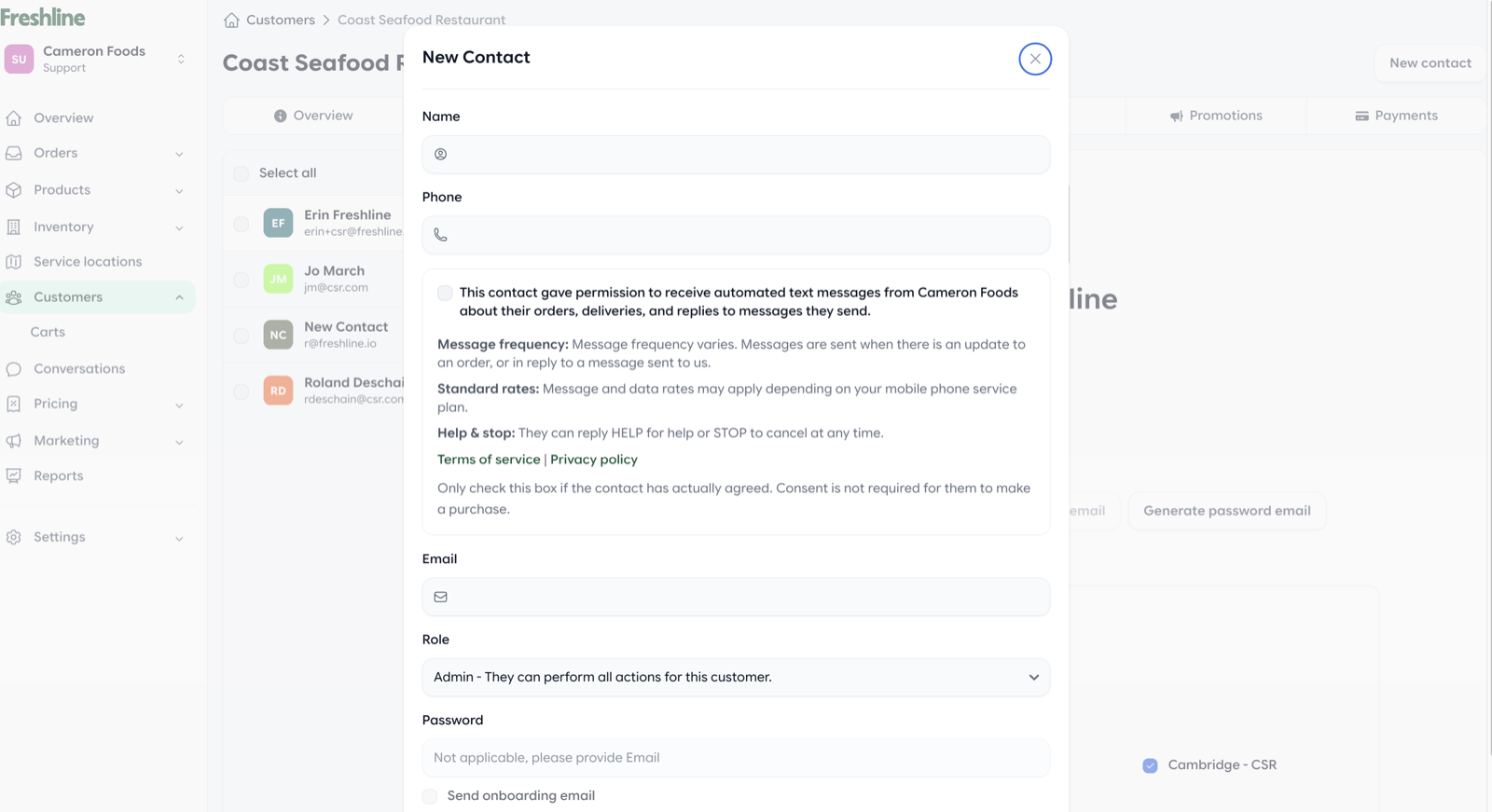
Explicit SMS opt-in consent is collected on signup, account settings, and admin contact forms.
Operations and admin
Enhanced activity timelines
Order, customer, and product activity timelines now surface a richer history, including invoice changes and issued line-item credits alongside existing order edits. Timelines load faster with improved query performance, giving support and operations teams better context without digging through multiple screens.
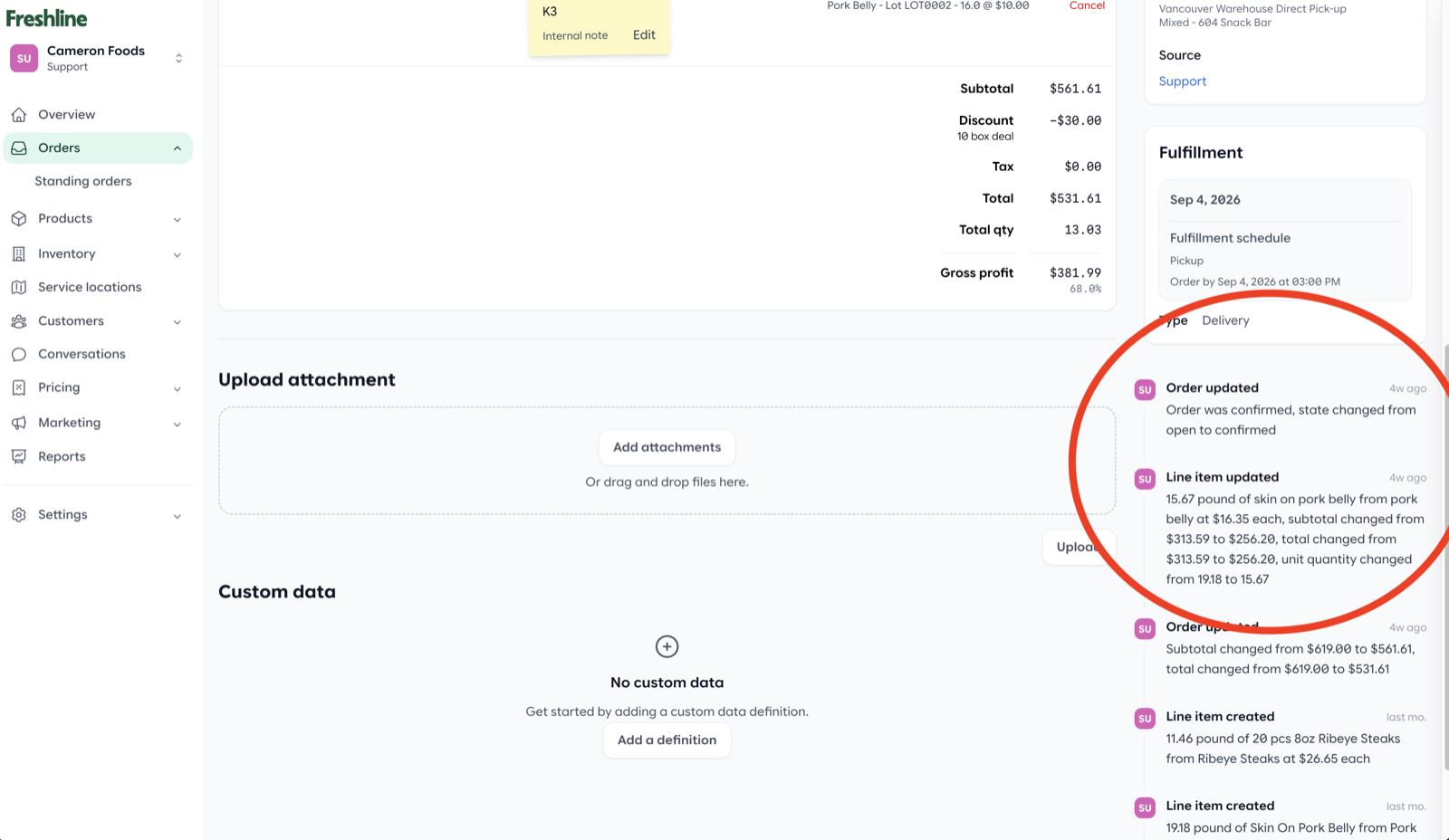
Activity timelines now include invoice changes and issued line-item credits alongside order edits.
Service location admin redesign
The service location experience was rebuilt with a tabbed layout covering overview, details, service area, schedule, and fees. A warehouse filter on the index helps multi-warehouse operations find locations quickly, and inline fee management makes it easier to attach charges to specific locations.
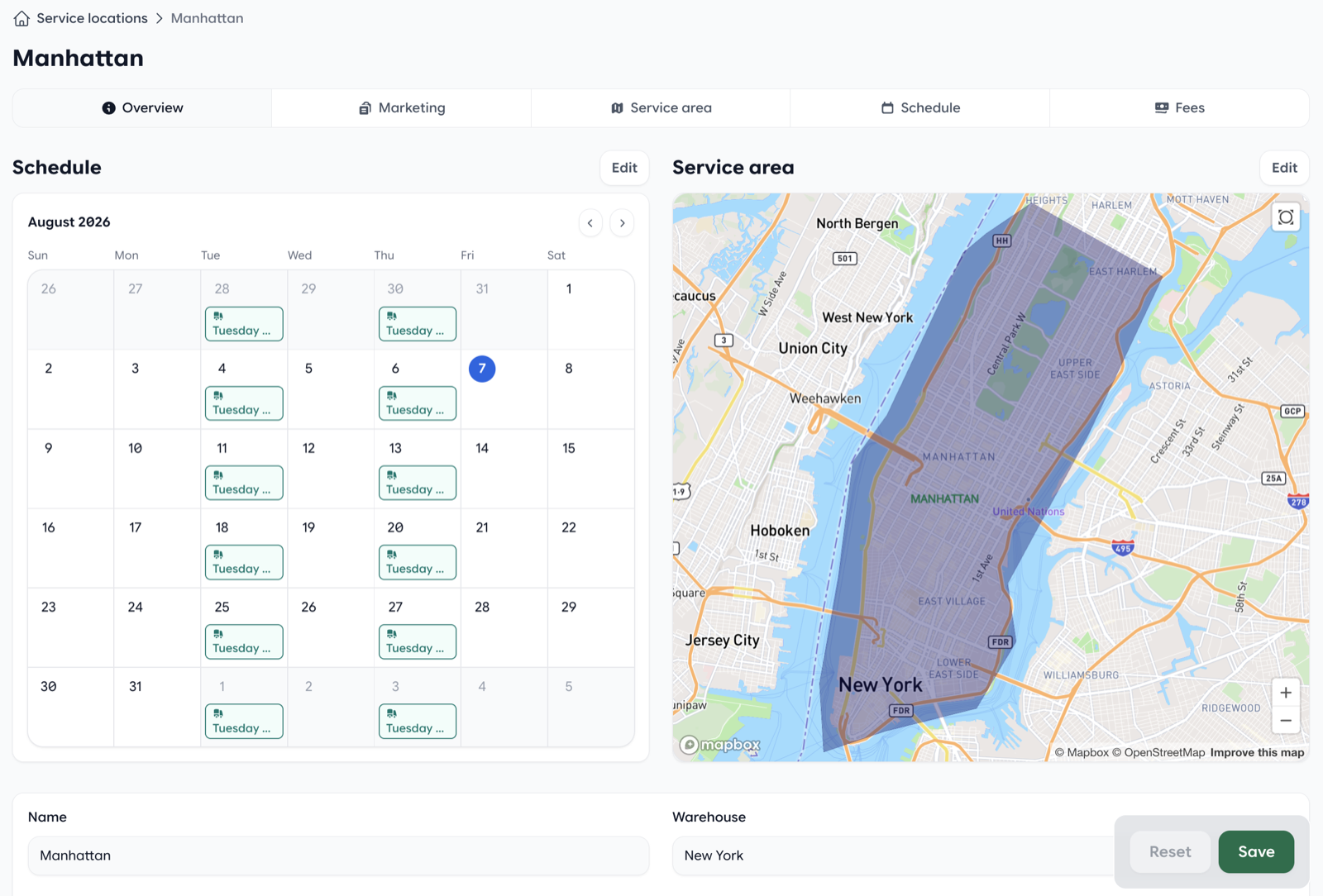
Service locations now use a tabbed layout covering overview, details, service area, schedule, and fees.
Smarter Excel imports
Imports across products, customers, inventory, and pricing now use shared type-aware cell handling, reducing common spreadsheet issues like float-formatted SKUs (30110.0) and whole-number net terms stored as decimals. Custom data fields on product imports are coerced according to their field type for more reliable bulk updates.
Reorder monitoring improvements
Reorder monitors now let staff choose a specific notify contact for reminder emails instead of relying on a generic remind-customer checkbox. This gives sales and customer service teams precise control over who receives reorder follow-ups.
Choose a specific notify contact for reorder reminder emails instead of a generic customer checkbox.
Standing order labels
Orders created automatically from standing orders now receive a dedicated label, making it easier to filter and report on recurring-order volume separately from one-time purchases.
Sheet printing improvements
Order and production sheets now support portrait and landscape printing, with improved print layouts and preset names shown in print headers so teams know which column layout they are printing.
Smarter fulfillment scheduling
Fulfillment scheduling received a significant upgrade this month.
Fulfillment types on schedules
Delivery and pickup are now configured per schedule, not per service location. That means a location can offer delivery on Tuesdays and Thursdays while pickup runs Monday through Friday — each with its own cutoff rules and calendar behavior. Checkout, admin order entry, and standing orders all respect the updated schedule logic.
Fulfillment windows
Teams can now define fulfillment windows within a schedule — named time ranges such as "Morning delivery" or "Afternoon pickup." Buyers select a window at checkout when options exist, and customer delivery locations can store a default window. Admin order entry and the schedule calendar surface window details so operations teams know exactly when orders are expected.
Together, these changes give distributors much finer control over how buyers choose fulfillment dates and times — especially for operations running multiple routes or production batches per day.
Thank you
As always, thank you for the feedback and feature requests that continue to shape the Freshline platform. Many of July's improvements — especially the production sheet, fulfillment scheduling, and reporting updates — came directly from operator workflows we see every day.
If you would like a walkthrough of Freshline MCP, the production sheet, or any other new capability, reply to your Freshline email or reach out to your Customer Success Manager.