Lots shipped this month to make it easier to get orders in, get invoices out, and get paid faster.
Payments
- Charge an invoice using a saved payment method: no re-entering card or bank details.
Orders
- Search orders by customer number: great when customer names are similar.
- Disable a customer location: temporarily block a customer location from ordering without deleting it.
Importing Orders (CSV)
- Import orders via CSV: ask support to turn this on for your account.
- Import as "live" or "historical": use historical for backfilling old orders.
- Auto-match locations during import: less manual cleanup.
- Match buyers by customer number: more reliable linking when importing.
- Ability to include line item notes on imported orders: so special instructions don't get lost.
Invoices Customization, PDFs, and Quick Printing
Invoice display settings: You can now customize the information that displays on your invoices in more detail without a development request from our team. Simply navigate to the settings on your dashboard to access this new page.
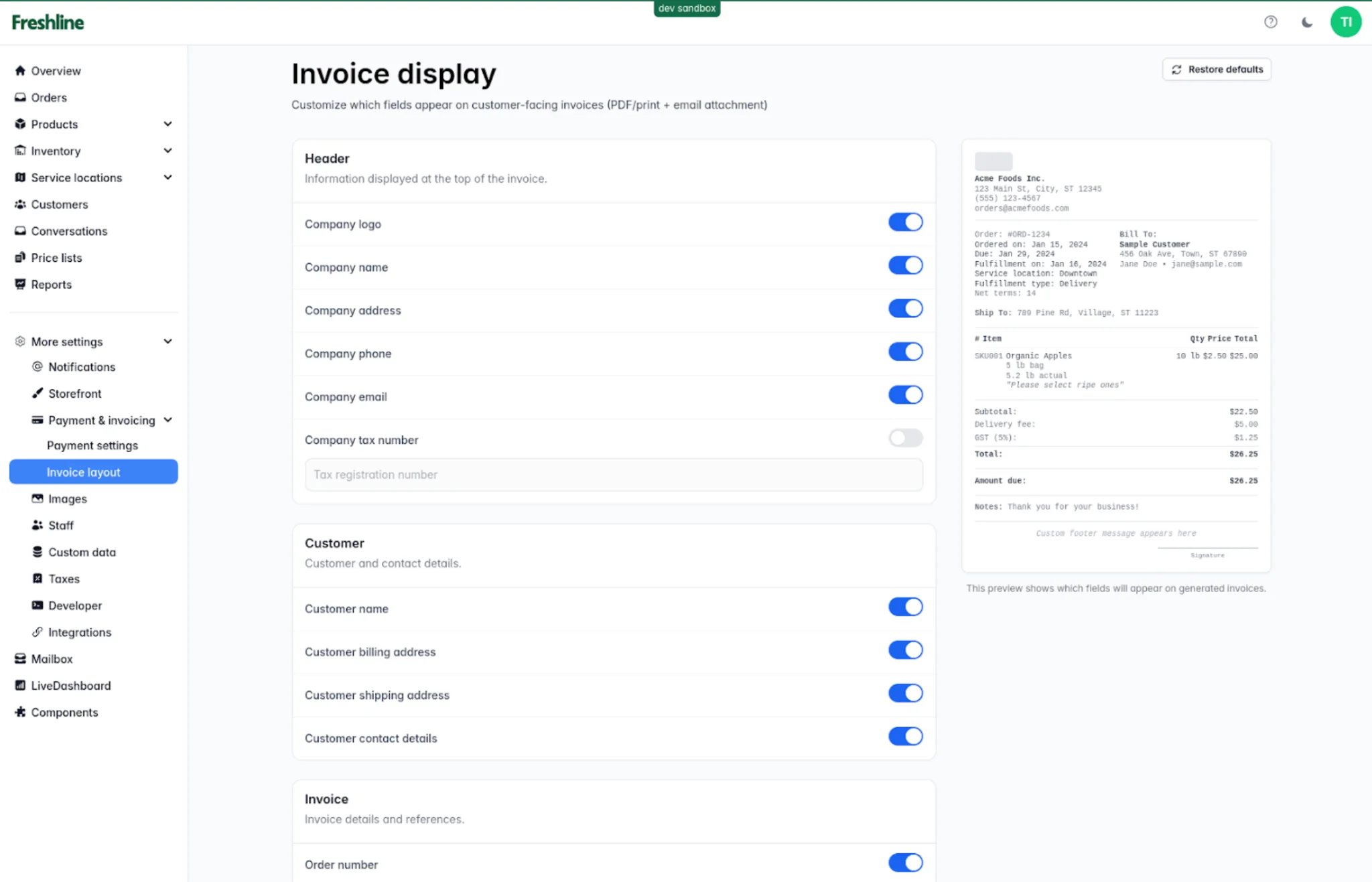
New invoice display settings let you customize header, customer, and invoice fields.
PDF reports + print: Generate PDF reports from the reports page and print them directly from the reports page. The new feature will allow for quick printouts of picklists to be formed without having to download the files to Excel first.
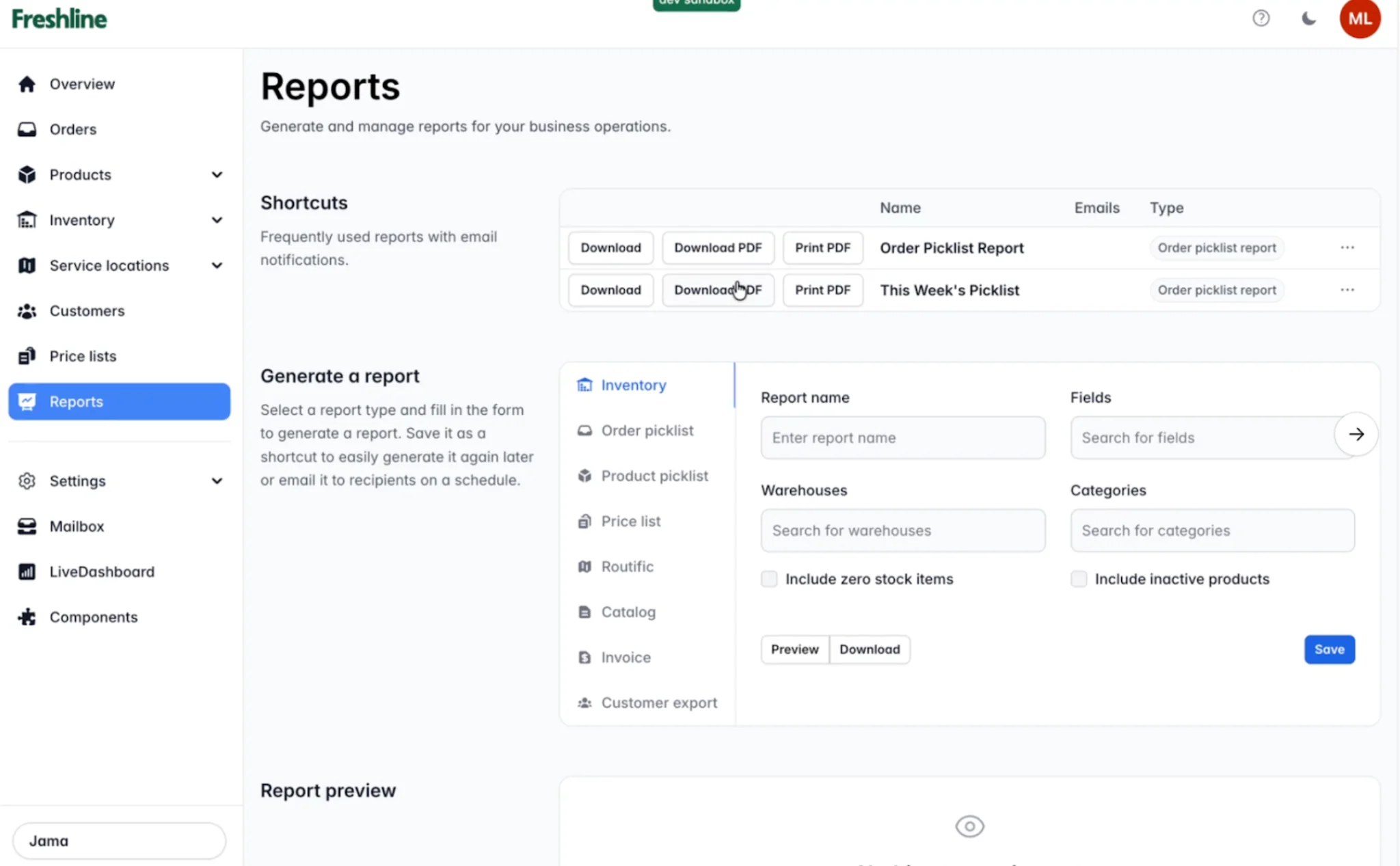
Generate and print PDF reports directly from the reports page.
- Print invoices + packing slips: one-click from admin.
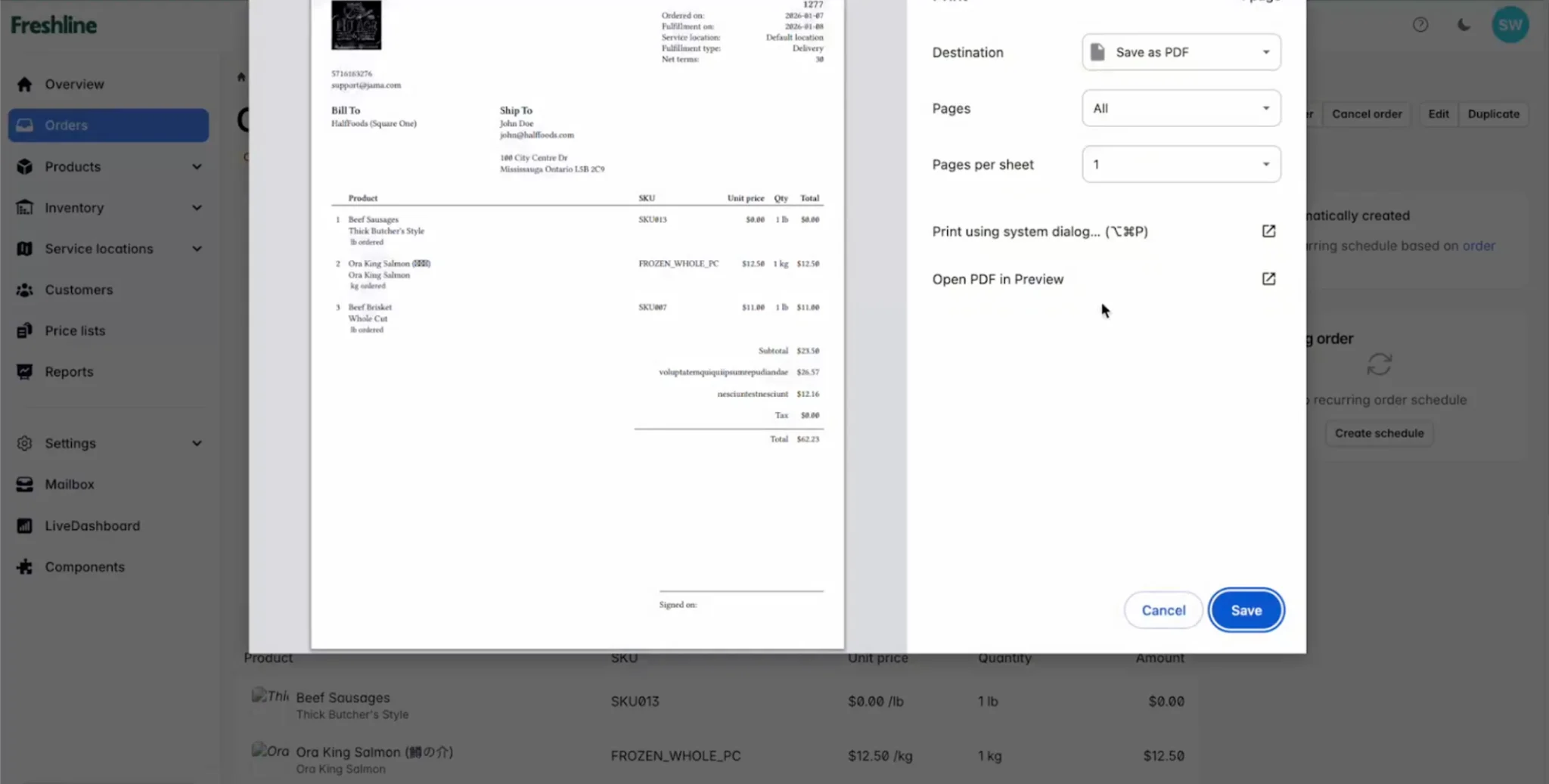
Print invoices and packing slips with one click, or save directly as PDF.
Storefront (Buyer Experience)
- New storefront theme options + responsive improvements: cleaner ordering on mobile.
- Add a banner image + text to your storefront: promos, delivery notes, cutoff times, etc. Contact support if you would like access to a couple of new options for your B2B storefront!
QuickBooks Support & Integrations
- Auto re-linking of Freshline orders to QuickBooks invoices: when they aren't already connected or if you initiated a disconnect for year-end accounting.
- Korean language support: new locale and updated translations. Contact support if you would like to enable this new language.
- Customer ID numbers are now supported across more places: allowing Freshline to line up better with your existing operations.
If you want a 2-minute walkthrough of any of these (CSV import, invoice customization, or charging invoices), email support and we'll point you to the right place.